Contact form spam: the fix that actually works.
Every week a pile of junk messages, and somewhere in it a real customer you nearly deleted. The answer is layers that stop bots without asking people to click traffic lights. This is the setup I put on the forms I build, and how to prove it is not costing you leads.
Or call or text (502) 387-1142



Websites I have built for Kentucky businesses



















The short answer
Stop contact form spam with three layers. A hidden honeypot and timing check catch the simple bots for free. Cloudflare Turnstile, a free reCAPTCHA alternative that most visitors never notice, stops the smarter ones without a puzzle. A rule against links in the message catches a lot of what is left, but it judges what a message says rather than who sent it, so set it to mark matches as spam rather than refuse them.
Then test it properly: confirm real messages still reach your inbox, and keep the space Turnstile needs on the form, because hiding it silently blocks the visitors it is unsure about.
Where contact form spam comes from
Not all spam is the same, and each kind needs a different defense.
- Simple bots crawl the web, find a form and fill every field with junk. They are the easiest to stop.
- Smarter bots run a real browser, wait like a person would and fill only visible fields. These get past a honeypot.
- People paid to post type sales pitches by hand, often for SEO or web services. No bot check stops a human, but content rules catch much of it.
- Direct submissions skip your page entirely and post straight to the form’s address. Server-side checks catch these; anything that only runs in the browser does not.
A single tool rarely covers all four. Layers do.
Why puzzle CAPTCHAs are the wrong fix
Image puzzles were built to separate people from programs. They also cost you real inquiries: someone on a phone in a parked car, someone with poor eyesight, someone in a hurry, simply leaves. You never learn about the lead you lost.
Google’s reCAPTCHA v3 moved away from puzzles. It runs in the background and returns a score from 0.0 (very likely a bot) to 1.0 (very likely a person), and Google’s reCAPTCHA v3 documentation suggests starting with a threshold of 0.5. Your site still has to decide what to do with that score, so the plugin or code behind the form sets the cut-off.
reCAPTCHA is now managed through Google Cloud. Google’s reCAPTCHA billing documentation lists 10,000 free assessments per month per organization, after which requests fail with a quota error unless billing is set up. For a small business form that allowance is usually plenty, but it is one more account and one more limit to keep an eye on.
Layer 1: a honeypot and a timing check
A honeypot is a form field hidden from people but visible to bots. A person leaves it empty. A simple bot fills it in, and the submission is caught.
In Gravity Forms, which I use on the forms I build, the setting is called Detect spam using the Advanced Honeypot, found in the Spam Detection section of each form’s Form Settings, as Gravity Forms’ spam detection guide explains. It goes further than a plain hidden field: it also checks a version hash inserted by JavaScript and the form’s state, and it has an optional submission speed check that flags forms completed faster than a person could.
You can choose whether caught spam is blocked outright or saved as an entry marked as spam. While you are tuning a form, keeping it marked as spam is safer, because you can look through it and rescue anything real.
This layer is free, invisible and catches most of the junk. It will not stop a bot that runs a real browser.
Layer 2: Cloudflare Turnstile, the reCAPTCHA alternative
Turnstile is Cloudflare’s CAPTCHA alternative. It checks the visitor in the background and only shows a simple checkbox when it is unsure. You do not need to route your website through Cloudflare to use it: it can be added to any site.
What Cloudflare’s Turnstile documentation says about it:
- Three modes, per the widget documentation: Managed (recommended) decides per visitor whether to show a checkbox. Non-interactive shows a spinner but never asks for a click. Invisible runs with nothing on screen, and requires you to mention Cloudflare’s Turnstile privacy addendum in your privacy policy.
- Free. The free plan covers up to 20 widgets with up to 10 hostnames each, with unlimited challenges.
- Privacy. Cloudflare states that Turnstile does not access, store or transmit form entries or other page inputs.
Adding it to Gravity Forms
Gravity Forms has an official Turnstile add-on.
- In the Cloudflare dashboard, open Turnstile and add a widget with your site’s domain.
- Copy the site key and secret key.
- In WordPress, go to Forms, then Settings, then Cloudflare Turnstile, paste both keys and save.
- Add the Turnstile field to each form, as the last field before the submit button.
One warning from putting this live: the Turnstile field keeps a blank band above the submit button for the visitors Cloudflare wants to check. It looks like a layout bug. Do not hide it, or those visitors cannot send the form. I wrote up the fix for the blank space above the Gravity Forms button.
Layer 3: rules for what gets through
Human spammers and the best bots will still get some messages through. Content rules handle much of what is left, but they work differently from the first two layers: a honeypot and Turnstile judge whether a bot sent the form, while content rules judge what the message says, so they can also catch a real customer who pastes a link to a photo. Set them to mark submissions as spam rather than refuse them, so a real one can be rescued.
- No links in the message. Many real inquiries never include a web address. Gravity Forms can flag a submission as spam, or refuse it, when links are found in text fields, and individual fields have a No Links/URLs rule.
- Questions that only a customer can answer well. A form that asks what service you need, with choices that read the way customers talk, gets far less junk in the free-text box. My guide to what a service-business website should ask covers this.
- An outside spam check. Gravity Forms has an official Akismet add-on that sends submissions to Akismet’s service and marks the ones it flags as spam.
Resist the urge to stack every rule you can find. Each one is another way to turn away a real customer. Start with the three layers, watch the spam folder for a few weeks, and add only what the evidence asks for.
Test it like a customer, not like a bot
Turnstile changes how you test, because automated browsers are exactly what it is built to stop. A test sent from a script or a testing tool will usually be challenged or refused. That is the protection working.
Test in two parts instead:
- Test the notifications on the server. The Gravity Forms API can add a clearly labeled test entry and send its notifications without going through the form, which checks the emails, the routing and any integrations.
- Send one real test from your own phone, logged out of WordPress. That proves the part no script can: a real visitor passing a real check.
After any change, look at the form’s spam folder for a week. Real messages landing there mean a rule is too tight.
Make sure the real messages still arrive
Blocking spam is pointless if the real inquiries land in your junk folder or never leave the server. Form notifications are sent by your website, and inbox providers judge them by the domain’s email authentication: SPF, DKIM and DMARC.
If those records are missing or wrong, Gmail and Outlook can quietly discard the notifications. During my September 2026 server move I found exactly that on one site: its SPF record did not include the mail service sending the notifications, and Google was silently discarding them. Adding the missing service to the record fixed it.
You can check your own domain with my free SPF, DKIM and DMARC checker, and if notifications are not arriving, start with fixing website form emails.
Frequently asked questions
Is Cloudflare Turnstile free?
Yes. Cloudflare’s free plan includes up to 20 widgets, each covering up to 10 hostnames, with unlimited challenges. That is plenty for a small business with a few sites.
Do I have to move my website to Cloudflare to use Turnstile?
No. Cloudflare says Turnstile can be embedded into any website without sending its traffic through Cloudflare. You only need a free Cloudflare account to create the widget and its keys.
Should I keep reCAPTCHA if I already have it?
If it works and your real messages arrive, there is no emergency. If you see puzzles on your form, or spam getting through with reCAPTCHA in place, Turnstile with a honeypot is the change I would make.
Why do I still get a few spam messages?
Some are typed by people, and no bot check stops a person. A no-links rule and a spam folder you glance at weekly handle most of what remains.
Will spam protection block real customers?
Puzzles do, and over-tight rules do. A honeypot and Turnstile’s managed mode are designed to be invisible to most visitors, and marking suspected spam instead of deleting it means you can rescue anything real.
Turnstile on real forms, with no puzzles.
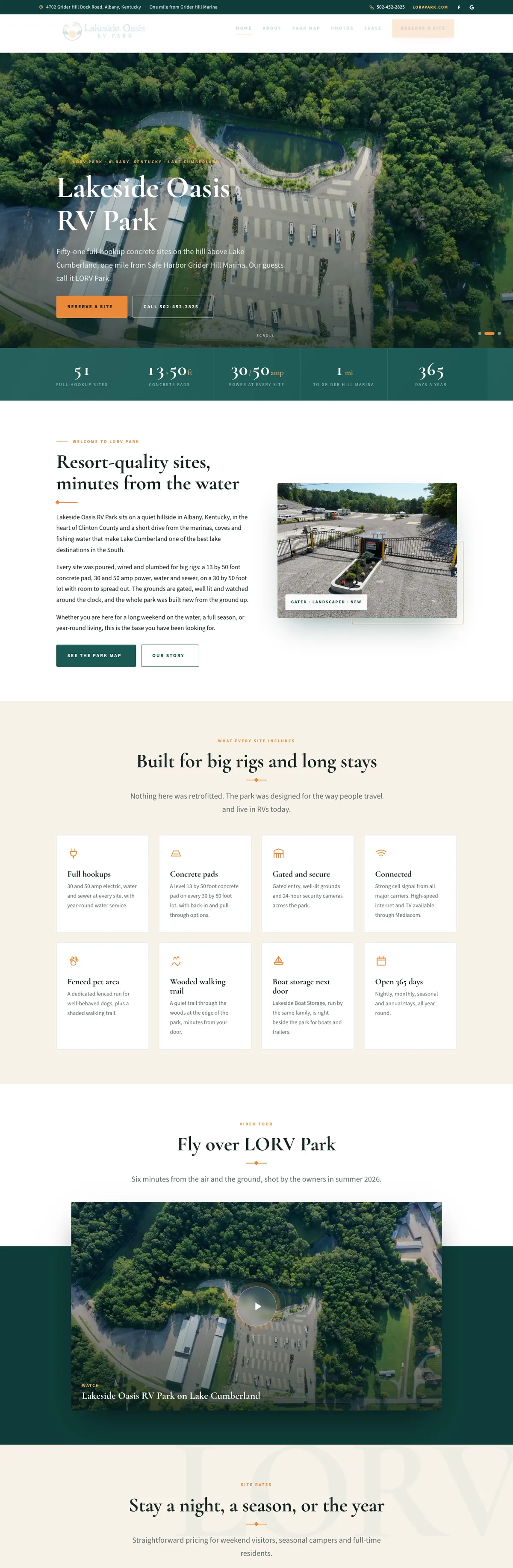
The request forms I have built for Allied Plumbing in Bardstown, Lakeside Oasis RV Park on Lake Cumberland and my own aerial brand, Aerial Photography Louisville, all use Gravity Forms with Cloudflare Turnstile. My own project form here in Louisville adds a honeypot as well.
None of them asks a customer to solve a puzzle or pick out traffic lights. The bot check runs in the background, and a visitor Cloudflare is unsure about gets a simple checkbox in the space kept for it.

Drowning in form spam?
Send me the page with the form. I will tell you what is getting through, set up the layers that stop it, and prove the real messages still reach your inbox.