
Your register and your website, telling one story.
Custom POS integrations for WordPress and WooCommerce, with Clover running in production today, so in-store sales and online stock stop drifting apart.
Or call or text (502) 387-1142
> 14:02:11 Webhook: sale on register 2 order R-4182
SKU SBB-750 qty 1 store 18 to 17
ok Website stock updated 17 left
> 14:02:40 Online order #10577 paid
SKU SBB-750 qty 2 17 to 15
ok Register stock updated 15 left
> 14:03:05 Gift shop sale order R-4183
SKU GLASS-NOSING qty 4 52 to 48
ok Website stock updated
! 14:04:30 SKU TEE-NAVY-L not on the website
ok Matched by barcode, mapping saved
> 14:05:00 Nightly count check: 1,248 SKUs
ok 0 mismatches between register and website
> 14:05:02 Sales report sent to the owner

14:02Register sale website updated
14:02Online order register updated
14:03Gift shop sale website updated
14:04New item matched by barcode
14:10Price change on register website updated
14:22Low stock alert: 3 left
14:30Refund at register stock returned

pos-sync
class-pos-webhook.php
class-stock.php
sku-map.json
nightly-check.php
tests
1<?php
2/**
3 * A sale on the register lowers website stock, and back again.
4 */
5final class Pos_Webhook {
6 public function handle( $event ) {
7 if ( ! $this->verified( $event ) ) {
8 return new \WP_Error( 'bad_signature', 'Rejected', array( 'status' => 401 ) );
9 }
10 foreach ( $event['line_items'] as $item ) {
11 $product_id = Sku_Map::find( $item['sku'], $item['barcode'] );
12 if ( ! $product_id ) {
13 Sku_Map::queue_for_review( $item );
14 continue;
15 }
16 wc_update_product_stock( $product_id, $item['qty'], 'decrease' );
17 }
18 Stock::log( 'register', $event['order_id'] );
19 return true;
20 }
21}
One inventory, however it sells
Stock that follows every sale
A sale at the counter updates the website, and a sale online comes off the register. No morning spreadsheet ritual.
An end to overselling
An item that sells out in the shop stops selling online before a customer buys what you no longer have.
SKUs done right first
Most sync problems are catalog problems. I audit and repair SKUs on both sides before wiring anything together.
Built on the POS API
A direct integration with the register’s own platform, not a fragile add-on pretending to be one.
Subscriptions replaced
Off-the-shelf sync tools bill monthly and match on their terms. A purpose-built plugin does exactly what your catalog needs.
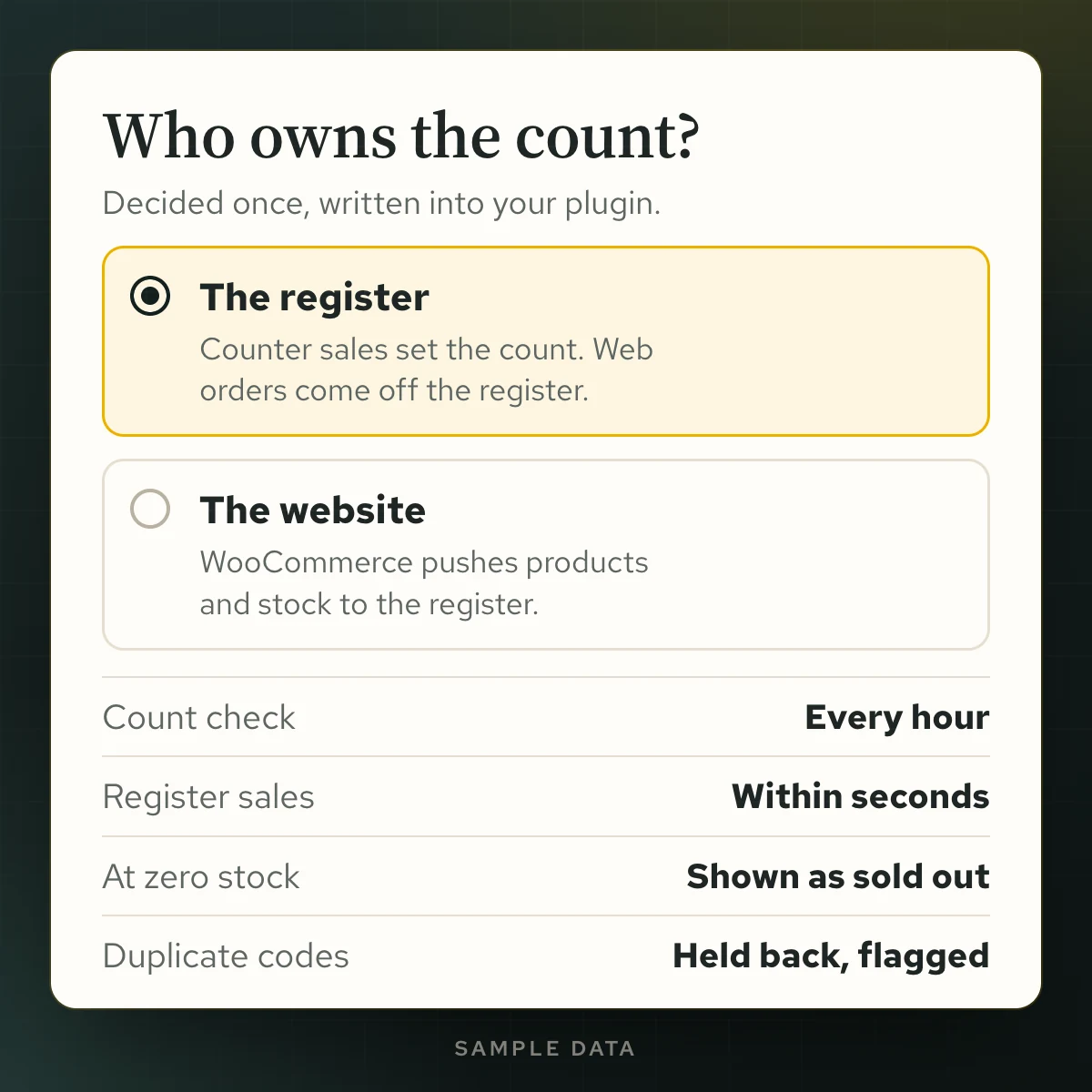
Either side can be the master
At Kentucky Peerless the register leads. When your WooCommerce catalog is the master, the sync runs the other way and pushes products and stock to Clover.
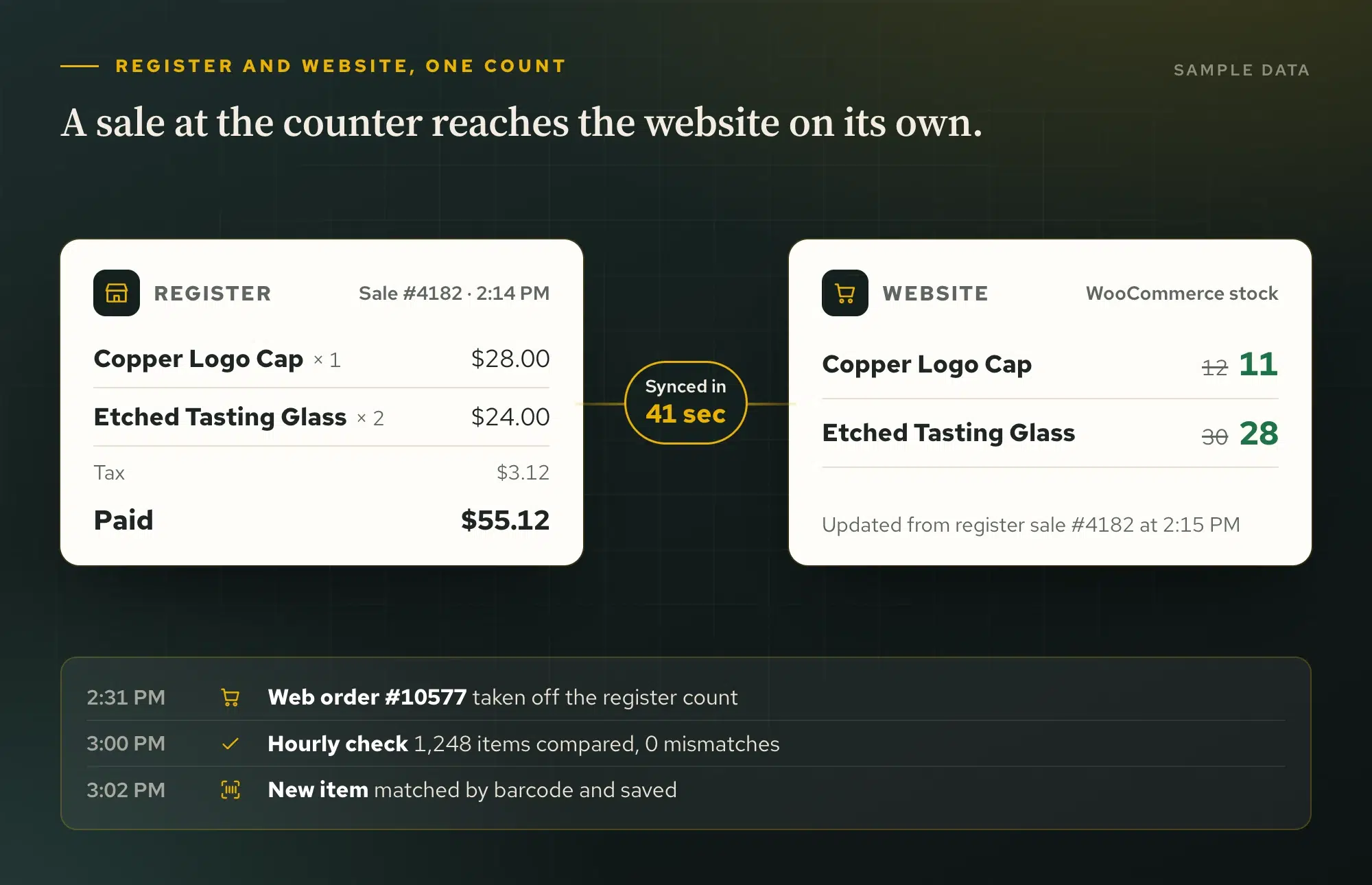
The Peerless gift shop and website share one count.
Kentucky Peerless runs a Clover register in the distillery gift shop and sells the same merchandise online. A custom plugin I wrote talks to Clover’s own platform and keeps the register and the website’s inventory in step, with product matching and clear rules for which system owns each count. It replaced a third-party sync subscription whose quiet mismatches had to be root-caused SKU by SKU. Now the register holds the count: register sales reach the website every hour, and website sales come off Clover within minutes.
The sync is a custom WordPress plugin, and the store it protects is one of the WooCommerce stores I design and run. The store side of this work is on the WooCommerce developer page, and the plugin itself is my work as a WordPress developer in Louisville.
Kentucky Peerless · rebuilt 10-26-2026
Inventory tools built around stock ownership
I built a Clover inventory workflow for Kentucky Peerless with product matching, participation controls, comparison views and reconciliation. The design makes the stock authority and enabled sync directions explicit, including when a result needs review.
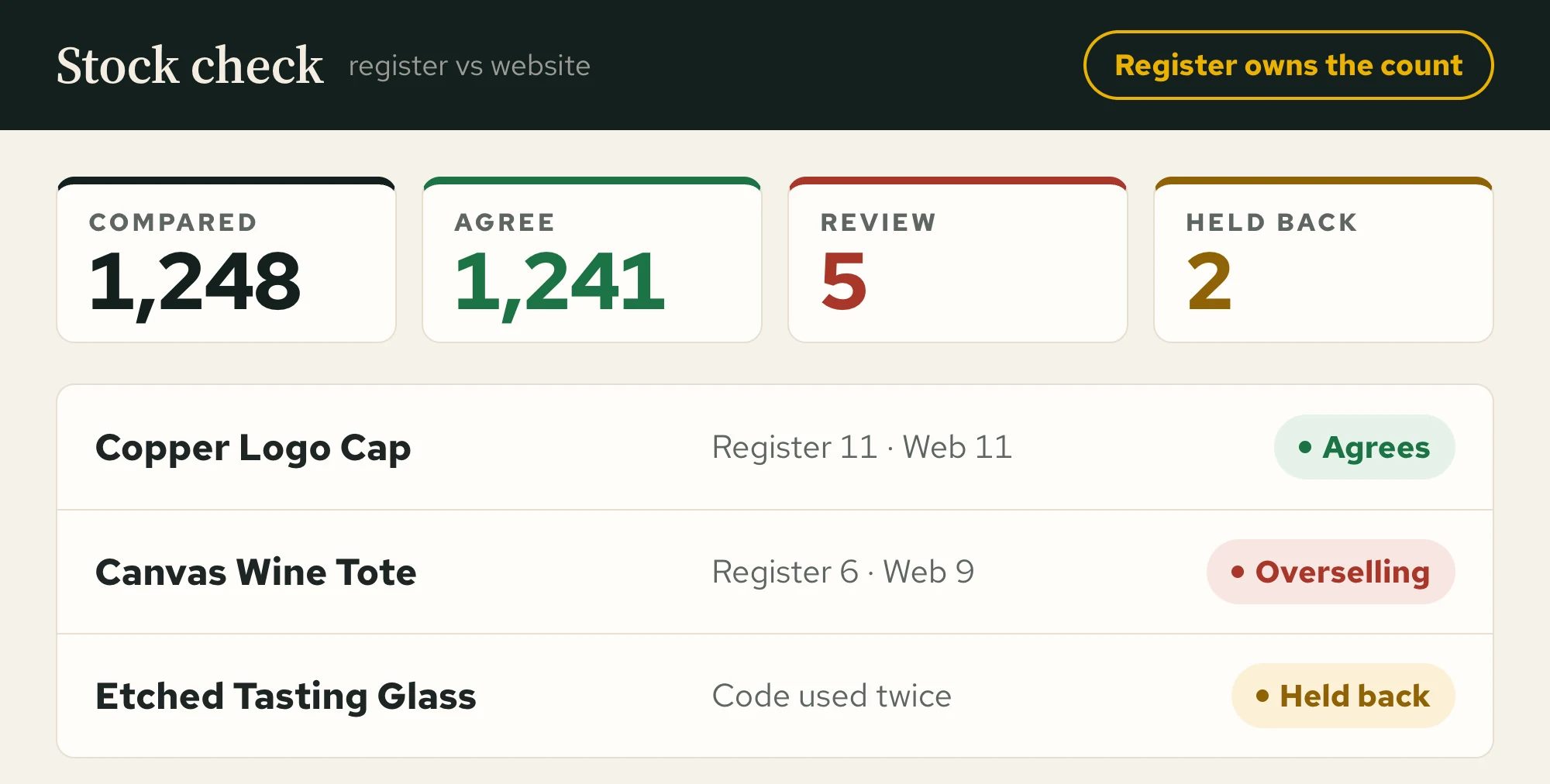
Inventory, however it sells
Middleman subscriptions
Clover
Running in production today
SKUs
Audited on both sides before anything is wired
TWO CHANNELS, ONE CATALOG
Sell at the counter and online without double entry
The merchandise your staff rings up at the register is the same catalog your website sells. The integration keeps quantities aligned in both directions and leaves your team one list to maintain instead of two. For a shop that sells in person first, it is the core of a retail store website.
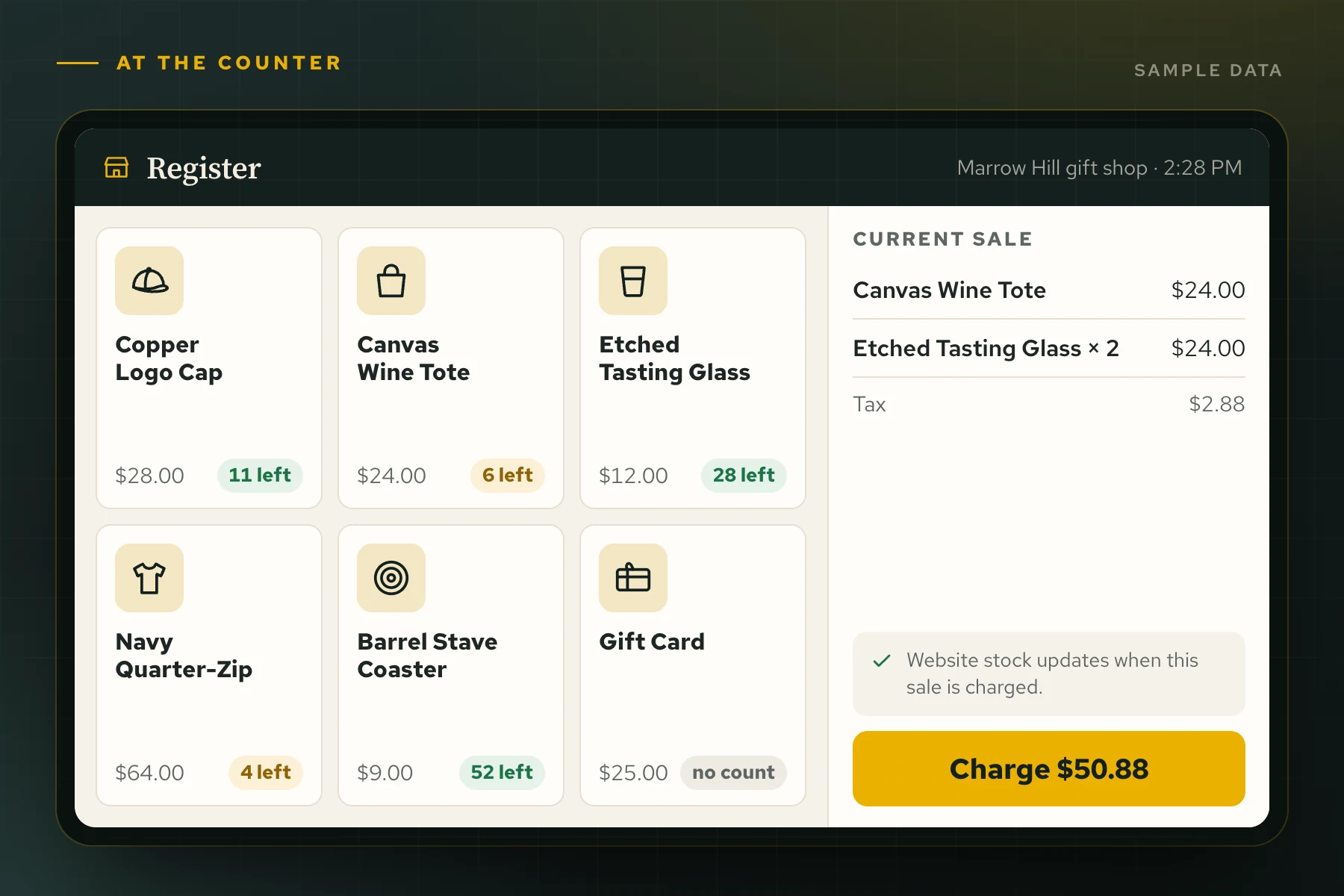
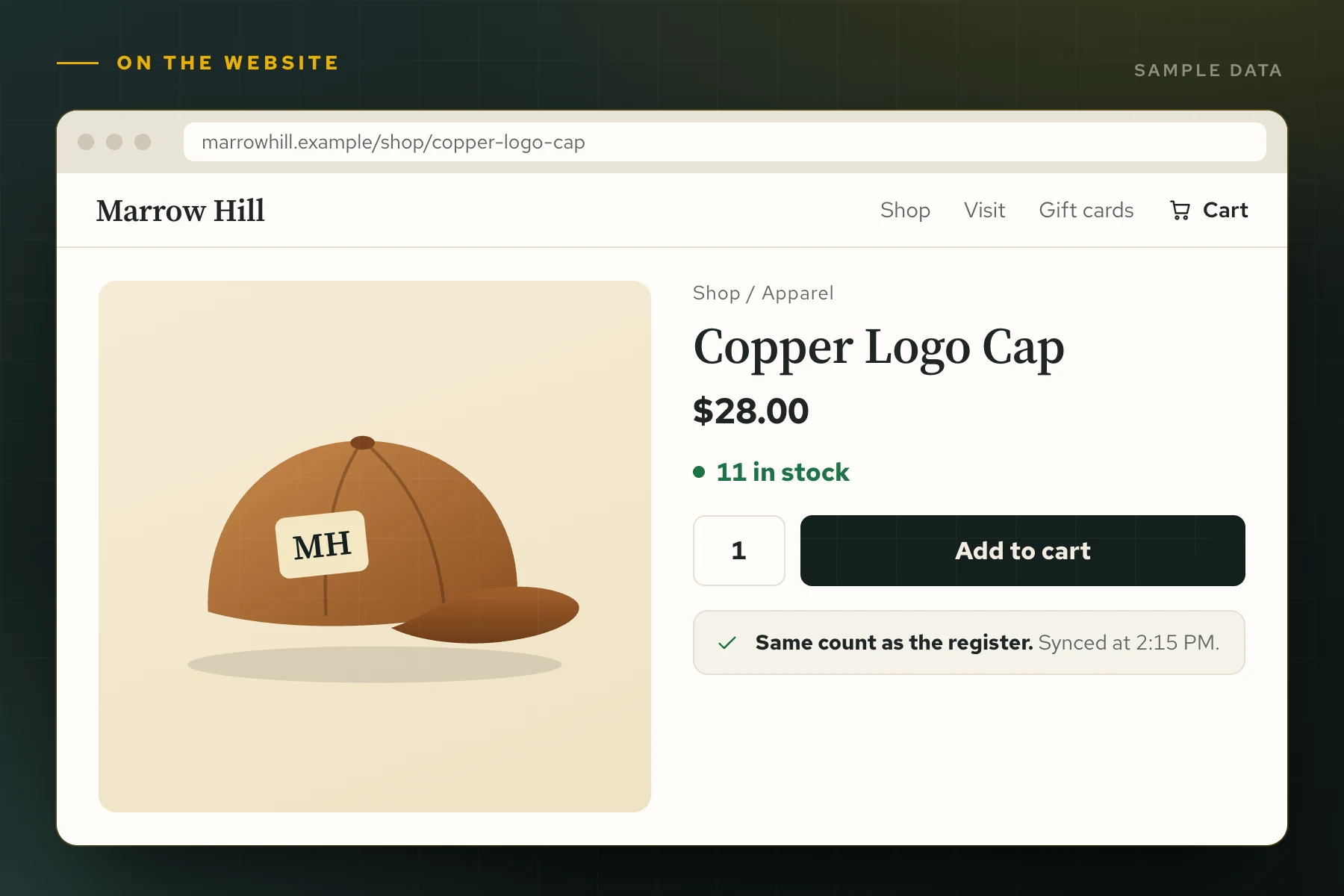
Sync tools sell subscriptions. I build fits.
Your rules, not theirs
Which products sync, which side wins, what happens at zero: decisions you make once, written into your plugin.
A sync you can check
Runs happen on a schedule you set, with results you can inspect instead of taking on faith.
One developer, whole stack
The same person maintains the store, the website, and the integration. When something drifts, there is one call to make.
How it gets built here.
Audit the catalog
I diff the register against the website item by item before writing code. Sync built on bad SKUs just spreads them faster.
Quote it straight
A clear number before work starts. No hourly meter running while you wonder.
Build on staging
Developed and tested against real scenarios before it ever touches your live site.
Ship and support
Deployed carefully, refined with your staff, and supported by the person who wrote it.
What owners want to know first.
Which POS systems do you integrate?
Clover is running in production today. Square and most modern POS platforms expose APIs I can build against, and the Square side is covered in Square to WooCommerce inventory sync.
Two-way or one-way sync?
Two-way. At Kentucky Peerless the register owns the count: register sales update the website every hour, and website sales come off Clover within minutes. When WooCommerce is your master catalog, I build it the other way: WooCommerce pushes products and stock to Clover, and register sales are read back. If minutes are too slow, Clover’s webhooks can carry a register sale to the website within seconds.
My SKUs are a mess. Is that a problem?
It is the first problem, and it is normal. The audit finds duplicates, mistypes, and orphans on both sides, and I fix them before connecting anything.
What does it cost?
Scoped flat after the catalog audit. No monthly per-store fee to a middleman, ever.

Systems that already work together.
Guest check-in systems
The front-desk board that turns booking-day chaos into a calm list of names.
Online booking systems
Live calendars, ticket types, capacity, and payment on your own website.
Digital guest books
A branded kiosk that saves every signup to a ledger you own.
RECENT WEB PROJECTS
Systems with users, not demos.
Sandollar: A Motorcoach Website Built Around the Whole Trip
A complete motorcoach website for Sandollar in Louisville, connecting fleet exploration with group planning, quote requests,…A.I.N. Claims: A Website for an Experienced Kentucky Insurance Adjuster
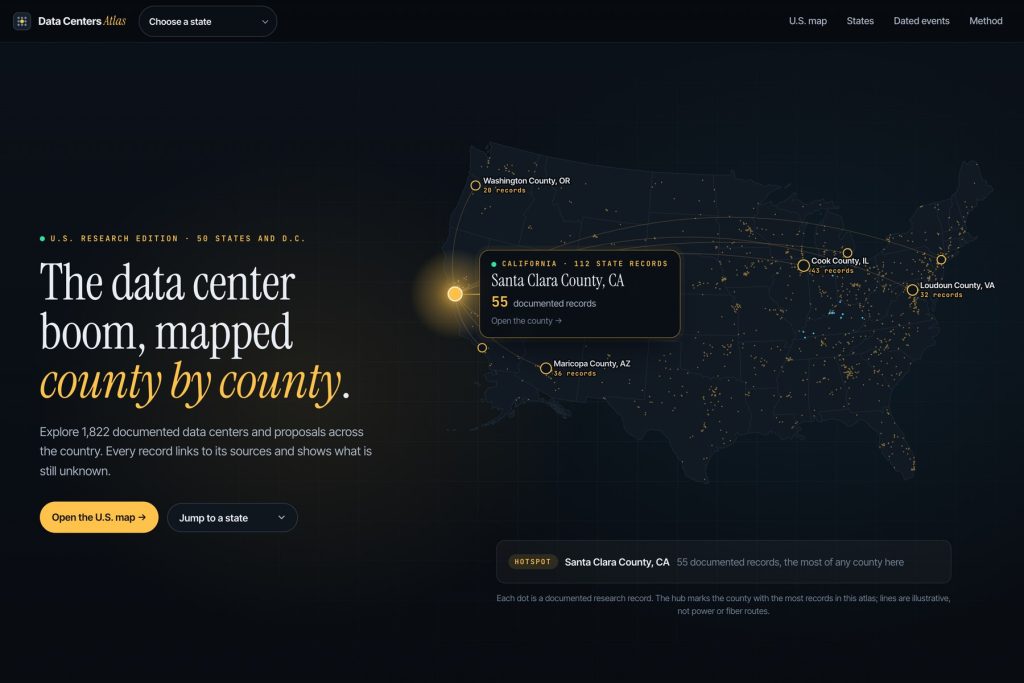
I rebuilt A.I.N. Claims with organized service information, Denis Clement’s professional history and a clear initial…Data Centers Atlas: an interactive research website built to show the record and the evidence
I built Data Centers Atlas around the journey from a national overview to a source-linked record,…









The counter and the cart should never argue.
Tell me what you sell and where you sell it, and I will map the integration that keeps both sides honest.
Connect with me
Tell me about the project.
What happens next
- 01I reply, usually the same day. Every message comes straight to me, not a ticket queue.
- 02A short call. What the site needs to do, who it is for, and what has not worked before.
- 03A written scope and flat quote. Before any work starts, with hosting and ongoing care listed separately.
5.0 on Google · 32 reviews · I usually reply the same day