
DMARC checker for SPF, DKIM and DMARC, with plain-English fixes.
Type your domain and see how the world’s mailboxes judge your email. The checker reads your MX, SPF, DKIM and DMARC records from public DNS, tells you what each one means and what to change. It runs in your browser.
Or call or text (502) 387-1142




Websites I have built for Kentucky businesses



















Check your domain’s email records.
Enter a domain, such as yourbusiness.com, not a full email address. The lookups use public DNS and run in your browser, and I keep the domain and the result so I can follow up if something is broken.
The big mailbox providers stopped giving unsigned mail the benefit of the doubt.
Contact form notices that never arrive. Invoices in the customer’s spam folder. Quotes your client swears they never got. Most of the time the message was sent fine and judged badly, because the domain it came from could not prove the mail was really its own.
SPF, DKIM and DMARC are how a domain proves that. Gmail and Yahoo started requiring them in 2024 and Microsoft followed for Outlook.com in 2025. A DMARC checker shows in a few seconds which of the three you have, which ones are wrong, and what to fix first.
SPF, DKIM and DMARC in plain English
Think of your domain as a letterhead. These records are how a receiving mail server decides whether a letter on your letterhead really came from you.
MX: where your mail is delivered
MX records say which service receives email for your domain, such as Google Workspace or Microsoft 365. The checker shows them first because they tell you who runs your inbox, which is usually the first place to fix anything else.
Two special cases are worth knowing. A domain with no MX record at all can still receive mail, because the mail standard falls back to the domain’s own address. A domain that publishes a single MX of 0 pointing at a dot is a null MX: it is saying, on purpose, that it accepts no email.
SPF: who is allowed to send
SPF is one TXT record listing the servers and services allowed to send mail as your domain: your inbox provider, your newsletter tool, your website’s mail relay. The SPF standard allows only one SPF record per domain, and it caps the record at ten DNS lookups. Go over either limit and SPF fails for every message.
DKIM: a signature on every message
DKIM adds a digital signature to each message. The matching public key sits in your DNS under a name called a selector. Google Workspace uses the selector google by default and Microsoft 365 uses selector1 and selector2. Selectors are chosen by each sending service, so the checker tries the common ones. If it finds none, DKIM may still be set up under a name only your provider knows.
DMARC: the policy that ties it together
DMARC is a TXT record at _dmarc on your domain. It tells receivers what to do when a message fails: p=none means watch and report, p=quarantine means send it to spam, p=reject means refuse it. DMARC also requires alignment: the domain in the From line has to match the domain that passed SPF or DKIM. That is the check that catches a website sending mail as you from a server you never listed.
What each DMARC checker result means.
The SPF, DKIM and DMARC problems I find most often, and what to do about each.
No SPF record
Nothing tells receivers who may send for you, so anyone can and nobody is trusted. Add one TXT record that includes your inbox provider and every service that sends as you.
Two SPF records
Common after switching providers or adding a newsletter tool. Two records means SPF fails outright. Merge them into a single record.
Too many lookups
Every include counts toward the limit of ten. Remove services you no longer use before adding anything new.
DKIM not found
Not found under the common names is unknown, not proof DKIM is missing. Check your provider’s admin panel. Google Workspace and Microsoft 365 both need an administrator to turn DKIM on for a custom domain and publish the key in DNS.
No DMARC record
Bulk senders to Gmail, Yahoo and Outlook.com must have one, and everyone else benefits from one. Start with p=none and a reporting address that is not anyone’s personal inbox.
DMARC at p=none
A fine first step and an unfinished last one. Read the reports for a few weeks, fix the senders that fail, then move to quarantine.
The 2024 and 2025 sender rules from Gmail, Yahoo and Microsoft
Gmail
Since February 1, 2024, Google’s sender guidelines have required every sender to personal Gmail addresses to set up SPF or DKIM, have valid forward and reverse DNS on its sending servers, use TLS and keep the spam rate reported in Postmaster Tools below 0.3 percent. Anyone sending more than 5,000 messages a day to Gmail must also have both SPF and DKIM, publish DMARC (p=none is accepted), align the From domain with SPF or DKIM, and offer one-click unsubscribe on marketing mail. Google’s sender FAQ says that starting November 2025 Gmail is ramping up enforcement, with temporary and permanent rejections for mail that does not comply.
Yahoo
Yahoo began enforcing nearly the same standard in February 2024: SPF or DKIM for all senders and a spam rate under 0.3 percent. Bulk senders need SPF and DKIM, a DMARC policy of at least p=none that passes, an aligned From domain, and a working one-click unsubscribe that is honored within two days.
Outlook.com, Hotmail and Live
Microsoft announced that from May 5, 2025, domains sending more than 5,000 messages a day to its consumer addresses must pass SPF and DKIM and publish DMARC of at least p=none, aligned with SPF or DKIM. Its announcement said failing mail would go to Junk first, with rejection to follow.
What that means for a small business
A local business rarely sends 5,000 emails a day, so the bulk rules may never apply to you. The rules for every sender do. A contact form that sends as your domain from a web server that is not in your SPF record, with no DKIM signature, fails the basic test, and that is why so many form notifications land in spam or vanish.
Common problems the checker reveals, and how to fix them
Website forms sent straight from the web server
WordPress sends mail from the hosting server by default. That server is almost never in your SPF record and does not sign with your DKIM key. The fix is to send site mail through an authenticated relay that signs with your domain. On the sites I host, site mail goes through an authenticated relay with SPF, DKIM and DMARC set so form notifications reach the inbox. The full repair is on fixing website form emails.
An SPF record missing one sender
Adding a mail relay or a newsletter tool and forgetting to add it to SPF is the most common mistake I find. On one site I moved, the SPF record was missing the mail relay and Google was silently discarding the client’s notifications. Nobody saw a bounce. Compare the services named in your SPF record with every service that actually sends as you.
DKIM never switched on
The inbox provider supports it, but nobody generated the key and published it. It takes a few minutes in the admin console and one DNS record.
A DMARC policy nobody reads
A reporting address that goes to a former employee, or no reporting address at all, means p=none teaches you nothing. Point reports at a dedicated reporting address that is not someone’s personal inbox, or at a DMARC reporting service.
Records edited in the wrong place
If your domain’s DNS is hosted somewhere other than your registrar, changes made at the registrar do nothing. The domain ownership lookup shows which company runs your DNS.
What a DMARC checker can and cannot tell you.
It reads public records
The checker sees exactly what a receiving mail server sees in DNS. It cannot see your mail provider’s settings, so it cannot tell you why a key was never published.
It cannot test the inbox
Good records are required, not sufficient. Content, list quality and complaint rates still decide where mail lands. Send a real test to a Gmail and an Outlook address too.
It may miss a custom DKIM name
If your provider uses an unusual selector, the checker may report DKIM as not found. Look in a received message’s headers for the s= value and you have the selector.
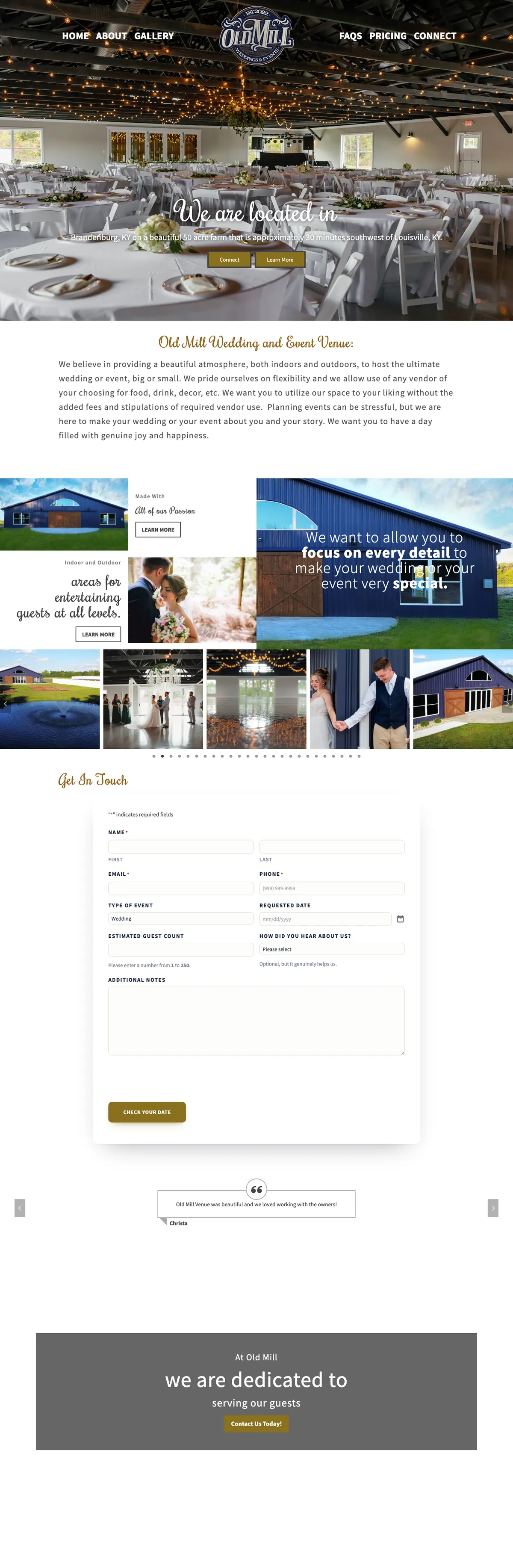
Old Mill Venue: inquiries that landed in spam, now in the inbox.
Old Mill Venue came to me with a working website and a real problem: wedding inquiry notifications were landing in spam. I moved the venue’s DNS to Cloudflare, published SPF, DKIM and DMARC, and verified each record exactly as the mail provider expected it.
The notifications-to-spam problem is closed, and the same pass rebuilt how the venue shows up in local search.

SPF, DKIM and DMARC, answered.
What does a DMARC checker do?
It looks up the public DNS records that prove your email is really yours: MX, SPF, DKIM and DMARC. It shows whether each one exists, whether it is valid, and what to change. This one also explains every result in plain English.
Is the checker free, and is my domain stored?
It is free. The lookups run in your browser against public DNS, the same data any mail server can read, and nothing you enter is saved.
Why does it say DKIM is missing when I set it up?
DKIM keys live under a selector name chosen by your provider. The checker tries the common ones. Open an email you sent, view its headers, and look for s= in the DKIM-Signature line: that is your selector.
Should I set DMARC to reject?
Eventually, for most businesses. Start at p=none with reporting, fix every legitimate sender that fails, then move to quarantine and later reject. Jumping straight to reject can block your own invoices and form notices.
How long do DNS changes take to show here?
It depends on the record’s time to live, often minutes and sometimes a few hours. If you just made a change and the old value still shows, wait and check again.
Can you fix my email records for me?
Yes. I fix SPF, DKIM and DMARC, move website mail to an authenticated relay and test delivery to real inboxes. Start with the form email repair page or send me your domain.
Emails going missing? Send me the domain.
Tell me what is not arriving and where it should land. I will read your records, test a real message and tell you exactly what is wrong.
Connect with me
Tell me what email is going missing.
What happens next
- 01I reply, usually the same day. Every message comes straight to me, not a ticket queue.
- 02A short call. What the site needs to do, who it is for, and what has not worked before.
- 03A written scope and flat quote. Before any work starts, with hosting and ongoing care listed separately.
5.0 on Google · 29 reviews · I usually reply the same day