
A free WordPress health check, from the outside in.
Enter your address and see your site the way browsers, search engines and attackers see it: HTTPS, redirects, security headers, whether WordPress announces its version, and how fast the server answers. This page explains what each result means and how to fix it.
Or call or text (502) 387-1142
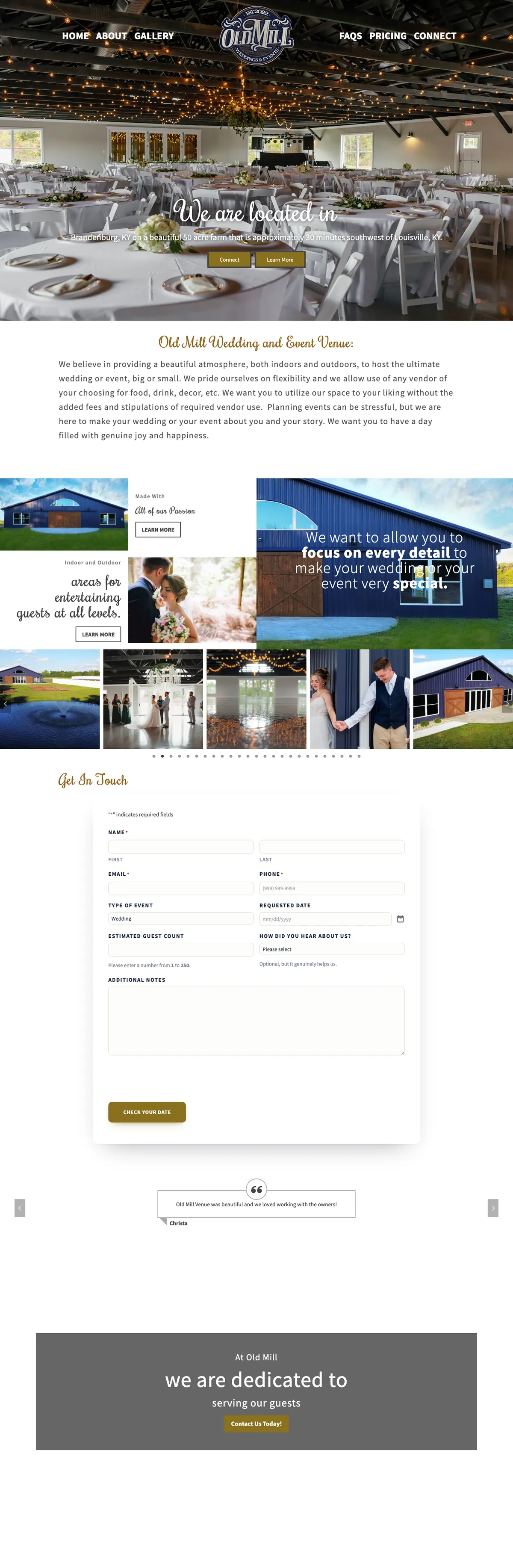




Websites I have built for Kentucky businesses



















Run the outside-in check.
Enter your home page address. The check runs from my server, which requests your site the way a visitor’s browser would, and reports what comes back. Nothing is changed on your site. I keep the address and the result so I can follow up.
No login, no plugin, no access. Just what the world can see.
Most WordPress health tools want a login or a plugin installed. This one needs neither. It looks at exactly what any visitor, search engine or automated scanner gets when it asks for your home page: whether the connection is secure, where the redirects go, which protective headers the server sends, what the code gives away about your WordPress install, and how long the server takes to answer.
That is also its limit. An outside-in check cannot see your plugins’ update status, your backups or your database. It is the walk around the building, not the inspection inside, and it is often enough to show whether anyone is looking after the place.
Four things the WordPress health check reads in seconds.
The same basics I check first on any WordPress site I am asked to look after.
HTTPS and redirects
Whether the site loads over HTTPS, whether the plain http address sends visitors to it, and how many hops it takes to get from the address typed to the page served.
Security headers
Instructions the server sends with every page that tell browsers to insist on HTTPS, refuse to be framed by other sites and stop guessing file types.
WordPress version
Whether the page code announces which version of WordPress the site runs. Out of the box, WordPress prints its version in a generator tag in the page head.
Response time
How long the server takes to start answering. Slow answers usually mean no page caching, an overloaded host or a heavy plugin running on every visit.
What each result means
HTTPS and redirects
Good looks like this: http and https, with and without www, all arrive at one address in a single redirect. A site that still answers on plain http, or bounces a visitor through two or three redirects, is slower and gives search engines mixed signals about which address is real.
Security headers
- Strict-Transport-Security (HSTS) tells browsers to use only HTTPS for your domain from now on, for the number of seconds set in max-age. With includeSubDomains it covers every subdomain too.
- X-Content-Type-Options: nosniff tells the browser to trust the declared file type instead of guessing, and to block scripts and stylesheets whose type does not match.
- X-Frame-Options, or the frame-ancestors rule in a Content-Security-Policy, stops other sites from loading yours inside a frame, the trick behind clickjacking. Without it, browsers allow any site to embed your pages.
Treat every header result as an observation, not a verdict. A missing header is not a hack and not proof of a weakness on its own; it is a protection nobody turned on. Seeing Cloudflare or a known host in front of the site is also only an observation: it does not prove that firewall rules are set or that the site is protected.
WordPress version
A visible version number tells automated scanners exactly which known problems to try. Hiding it is a small step. Keeping WordPress updated is the step that counts, because an old version is just as old whether it is announced or not.
Response time
The check reports how long the server took to answer from my server’s location, so treat it as a guide, not a lab test. For comparison, Google’s web.dev guidance calls a time to first byte of 0.8 seconds or less good and anything over 1.8 seconds poor.
Common problems this health check reveals, and the fixes
- The site answers on http without redirecting. Force HTTPS at the host or at Cloudflare so every address lands on the secure version.
- A chain of redirects. Usually http to https, then to www, then to a trailing slash. Point every variation straight to the final address in one hop.
- No HSTS. Add it once you are sure every page and subdomain works over HTTPS. Start with a short max-age, then raise it.
- No frame or file-type protection. Both are one line each in the server configuration or a Cloudflare rule. A security plugin can add them too.
- The WordPress version is showing. Remove the generator tag, then check the version itself. If it is behind, the update matters far more than the tag.
- Slow response. Turn on page caching, check what runs on every page load, and look hard at the hosting. Website speed optimization covers the full repair.
If the results look rough across the board, the site probably is not being maintained. That is what WordPress maintenance is for.
What an outside-in check cannot tell you.
Whether you have been hacked
Some hacks show on the surface. Many hide in the database or only show to search engines. Strange pages in Google or warnings in the browser need a real investigation, not a header check.
Whether plugins are current
Outdated plugins are a common way in, and they rarely announce themselves from outside. Only a look inside the dashboard, or a care plan that updates them safely, answers that.
Whether you can recover
No outside check can see your backups. Ask your host or developer when a backup was last restored, not just taken.
From hacked to hardened: Dr. Stephanie Moore’s website.
When Dr. Stephanie Moore‘s previous website was compromised, she needed more than a cleanup. I rebuilt it and, on launch night, had the old addresses redirected, known spam addresses answered with 410 Gone, the login locked down at the edge, backups on a schedule and the sitemap and analytics in place.
On the sites I host, an outside monitor checks every site every 60 seconds and alerts my phone, and firewall rules at Cloudflare and on the server block common attacks before they reach WordPress.

WordPress health checks, answered.
What is an outside-in WordPress health check?
A check of what your site shows to the outside world without logging in: HTTPS, redirects, security headers, version exposure and server response time. It is quick and safe, and it shows whether the basics are being looked after.
What does the check send, and what do you keep?
My server requests your home page the way a browser would, reads the response and shows you the results. It runs from a server so it can read headers a browser page cannot. I keep the address you check and the result so I can follow up if something needs fixing. I never sell or share it.
Is it safe to run on my live website?
Yes. It asks for your home page like any visitor. It does not log in, submit forms, scan for weaknesses or change anything.
My site passed. Am I safe?
Passing means the visible basics are in place. It says nothing about plugin updates, admin accounts, backups or hidden malware. Treat it as a good sign, not a clean bill of health.
Does this work on sites that are not WordPress?
The HTTPS, redirect, header and response time checks work on any website. The version check is specific to WordPress.
Can you do a full audit from the inside?
Yes. With access I review updates, plugins, users, backups, security and speed, and tell you in writing what needs attention. Ongoing care is covered on my WordPress maintenance page.
Results look rough? Let me look inside.
Send me the address and what worries you about the site. I will tell you what the outside check found, what it means and what I would fix first.
Connect with me
Tell me about your WordPress site.
What happens next
- 01I reply, usually the same day. Every message comes straight to me, not a ticket queue.
- 02A short call. What the site needs to do, who it is for, and what has not worked before.
- 03A written scope and flat quote. Before any work starts, with hosting and ongoing care listed separately.
5.0 on Google · 29 reviews · I usually reply the same day