
API integration services
If it has an API, I can build on it.
Your register, your compliance service, your retailer network, your accounting software: most of what a business pays for has an API, a way in for other software. I build what goes through it, so your website, your dashboards and your staff work from the same numbers.
Built on someone else’s API
Three companies left a door open. Here is what I built behind each.
An API is the way in that a software company builds on purpose, so other software can read and write its data with permission. A register, a compliance service and a retailer network each have one. The work is deciding what should pass through it, and building the screens people actually use.
Live · Kentucky Peerless
Clover’s API · the register
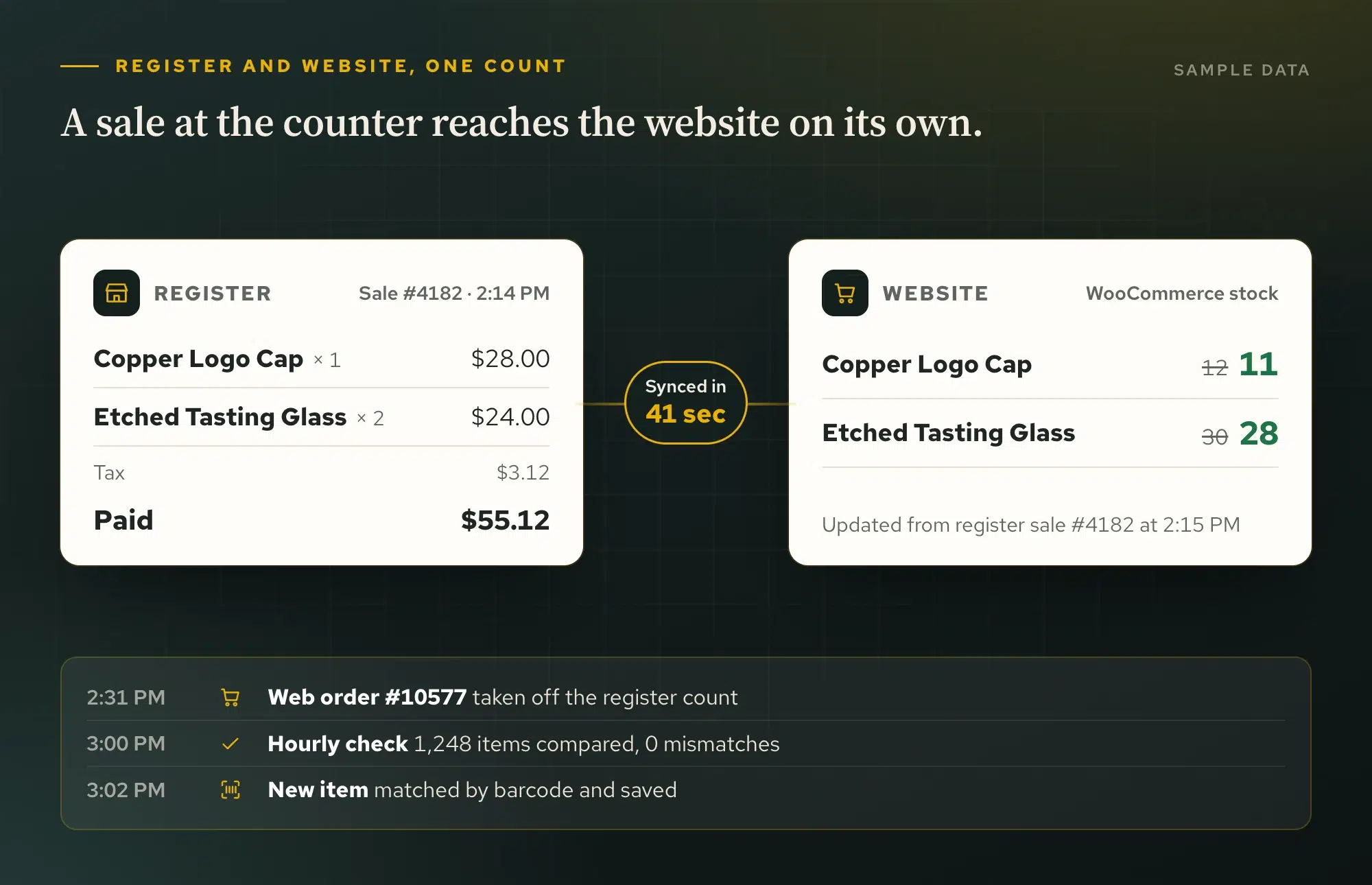
The register and the website share one count.
The distillery gift shop rings up merchandise on Clover and sells the same items online. A counter sale lowers the website’s stock, and a website sale comes off the register within minutes. A second, read-only connection fills a Clover sales page in the owner’s dashboard: today, this month and this year against last year, best sellers and the busiest hours.
- The APIClover inventory, items, orders and payments
- What I builtA two-way stock sync with matching rules, and a read-only sales page
- What the owner seesOne stock count, and register sales beside web sales
Live · Kentucky Peerless
Bottle Nexus’ API · a licensed retailer network
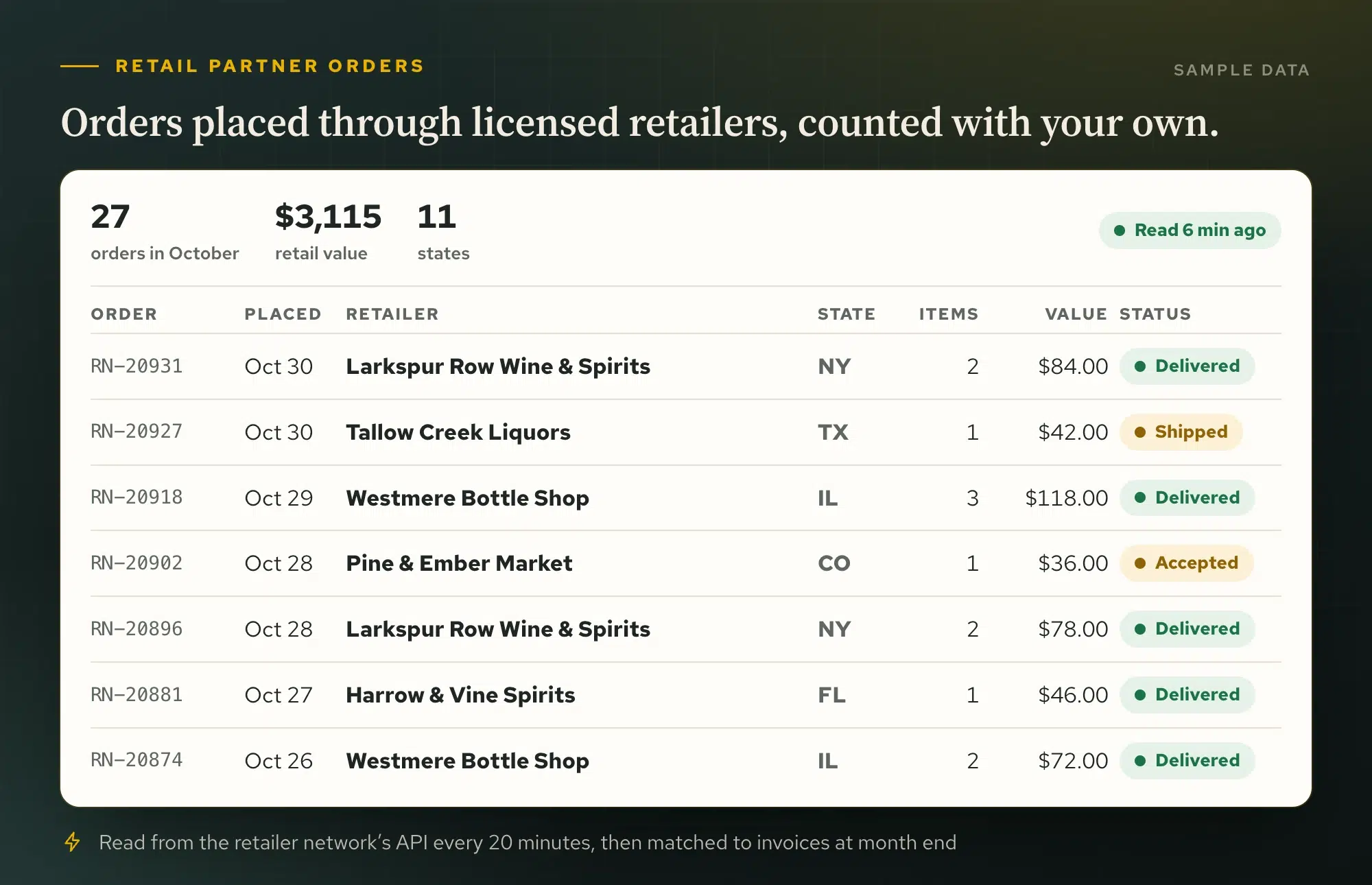
Retailer orders, counted next to your own.
Some buyers order through licensed retailers instead of the distillery’s own shipping. The retailer network reports those orders through its API, so the owner’s dashboard reads them on a schedule and counts them beside website and register sales, instead of leaving them in another login nobody opens.
- The APIRetailer network orders and items
- What I builtA reader that brings every retailer order into WordPress
- What the owner seesRetail partner sales beside every other channel
Live · a craft distillery
ShipCompliant’s API · alcohol shipping compliance
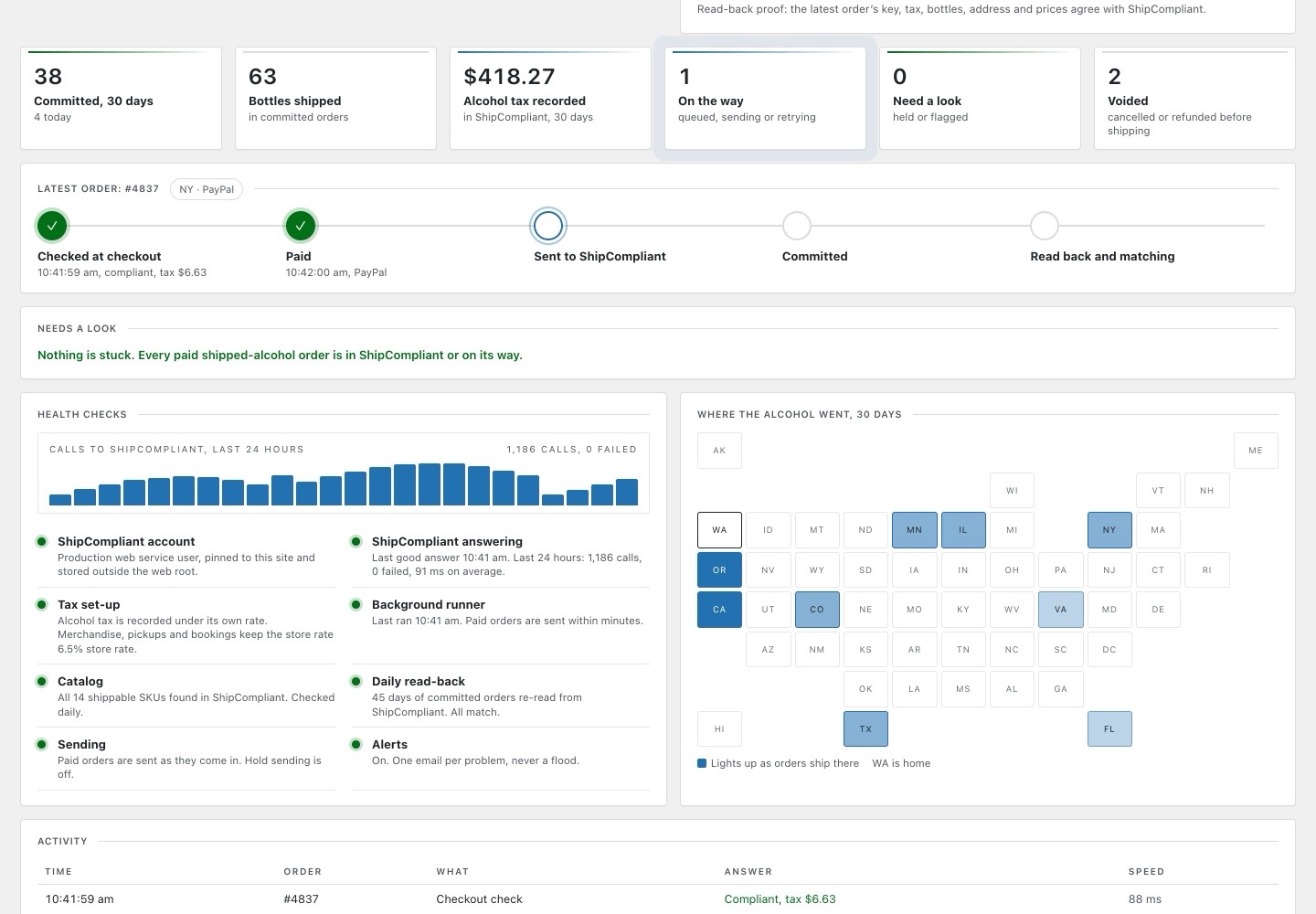
Every shipped bottle checked, committed and proven.
WooCommerce cannot talk to ShipCompliant on its own. Bonded checks each shipped order’s compliance and alcohol tax at checkout, commits it after payment and reads it back to prove it landed, with a dashboard that shows every step.
- The APIShipCompliant compliance checks, tax and sales orders
- What I builtBonded, a WooCommerce connector with its own dashboard
- What the owner seesEvery order’s status, with nothing retyped
All of it, on one screen
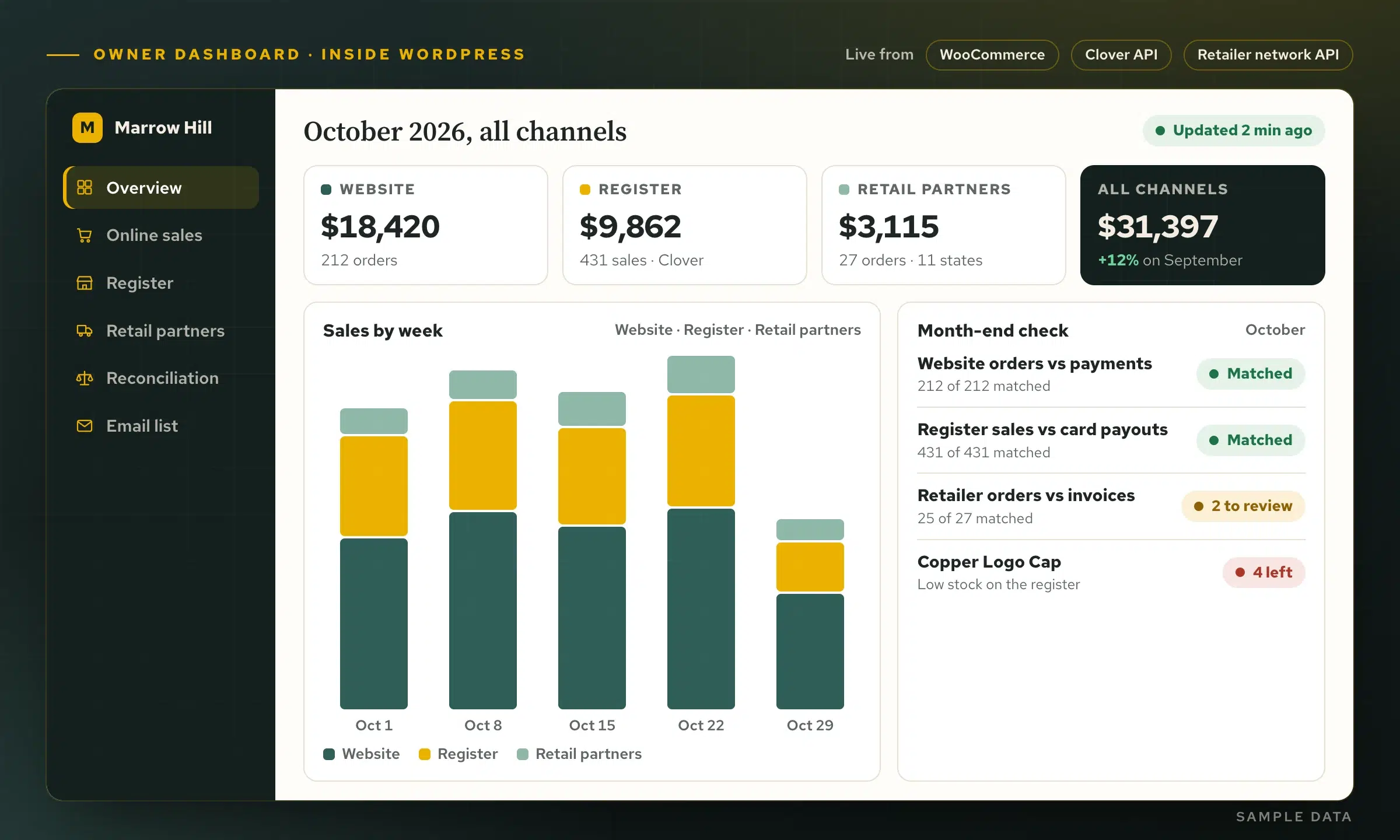
Every channel’s sales, on one owner dashboard.
At Kentucky Peerless each of these feeds the same dashboard inside WordPress: online sales first, register sales second, retailer orders third, then a month-end reconciliation, one month per page, with what each channel should pay out and a CSV or PDF to hand the bookkeeper. Month end becomes a review, not a hunt.
Sample data shown, not a client’s real numbers.
Featured · live since October 15, 2026
Live · Watertight Waterproofing
“Every homeowner wants a number before they call.”
Watertight fixes crawl spaces and basements around Louisville. I built a planning calculator into their website and a private office workspace behind it, so the number a homeowner sees and the request the office gets are the same thing.
- Start with the work. The homeowner picks the services they think they need. Overlapping work, like a drain dug under a new liner, is treated as one combined job.
- Ask only what changes the job. Size, access and what they are seeing underneath. Different choices bring up different questions.
- Show a planning range. A realistic starting range from Watertight’s own figures. The inspection and the written quote still set the real price.
- Send it with the request. One tap carries every choice into the estimate request, so the office starts the call already knowing the job.
- Work it in one place. The request lands in the office workspace: follow-up, the inspection, the quote and the invoice, all on the same record.
1 · What do you think you need?
2 · About the space
The office workspace Private
Jordan Sample · Fern Creek
- SeeingMusty air
- WantsEncapsulation, interior drain
- Space1,200 sq ft, walk-in door
- Planning range$5,450 to $6,950
- Request
- Inspection
- Quote
- Invoice
Waiting for a homeowner…
Sample data: the homeowner and every number here are made up for this demo. Watertight’s live calculator uses its own figures.
Problems already solved
Each one started as a sentence from an owner.
Software integration for Louisville businesses and beyond: what the owner said, what I built, and where it is running now.
Live · Kentucky Peerless
“Month end means four logins and a spreadsheet.”
A reconciliation page in the owner’s dashboard: one month per page, with register sales by payment type, website orders by payment method, retailer orders and what each should pay out, checked against Clover’s own records and ready as a CSV or PDF.
CloverWooCommerce
See the dashboard
Live · Kentucky Peerless
“Tour guests arrive with a printout and we hunt through a spreadsheet.”
A front-desk board with every paid booking for the day: one tap checks a party in, walk-ins are added at the desk, and attendance is reported afterwards.
WooCommerceFront desk
Guest check-inLive · Kentucky Peerless
“Booking a tour takes three phone calls.”
Online booking on the distillery’s own website instead of a booking service: a live calendar, ticket types, capacity limits and payment.
WordPressPayments
Online bookingLive · Kentucky Peerless
“The paper guest book fills up, and nobody ever emails those people.”
A tablet guest book in the visitor center. Every signup is saved to the site first and sent to the mailing list second, with a queue for when the wi-fi drops and a record of what each person agreed to.
TabletMailing list
Digital guest book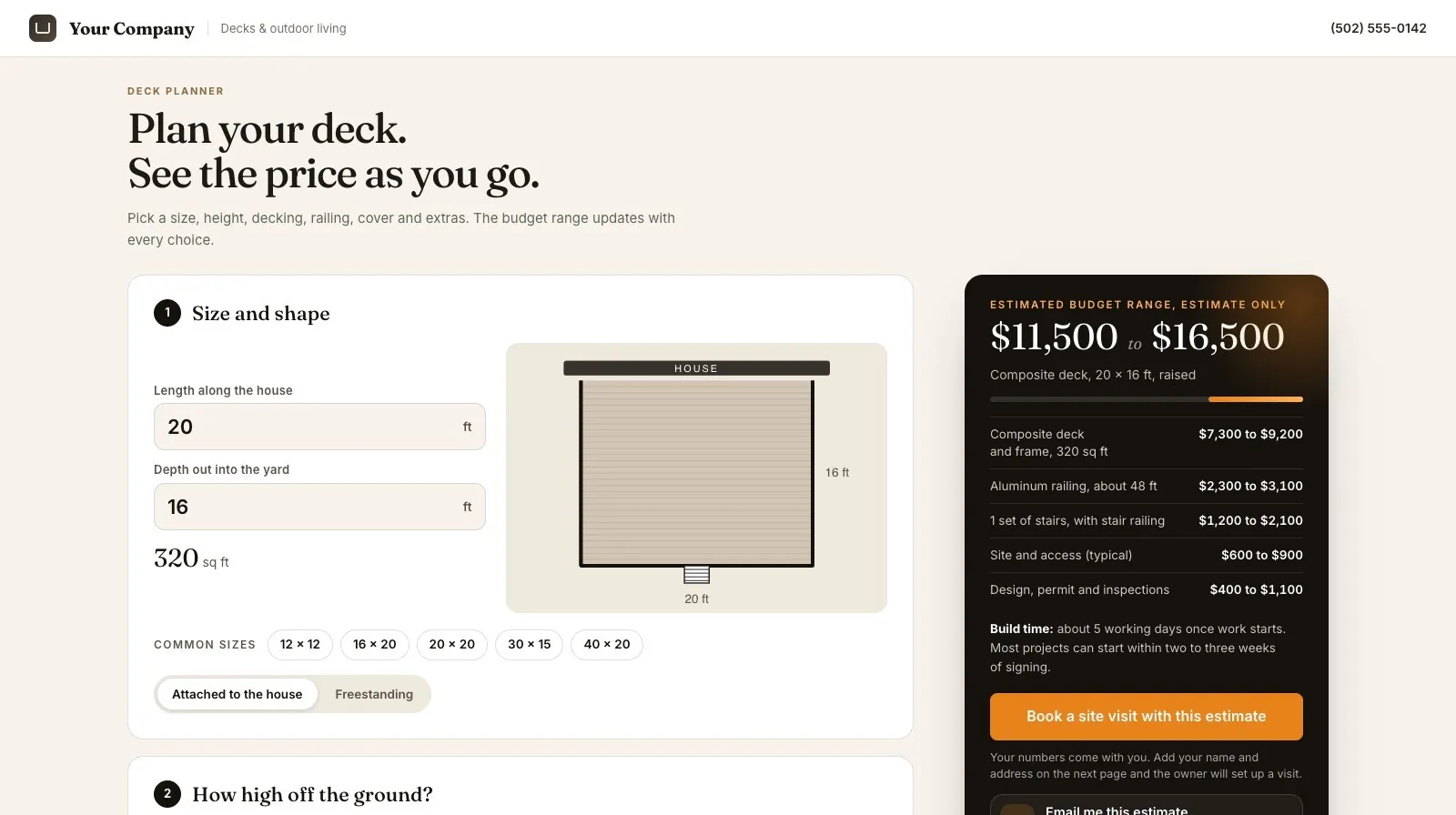
Working sample · try it
“Every quote starts with twenty minutes on the phone.”
A project planner on the website: the customer picks options and sees a realistic price range, and the office receives the whole request, already priced, in one pipeline.
WebsiteOffice pipeline
Try the planner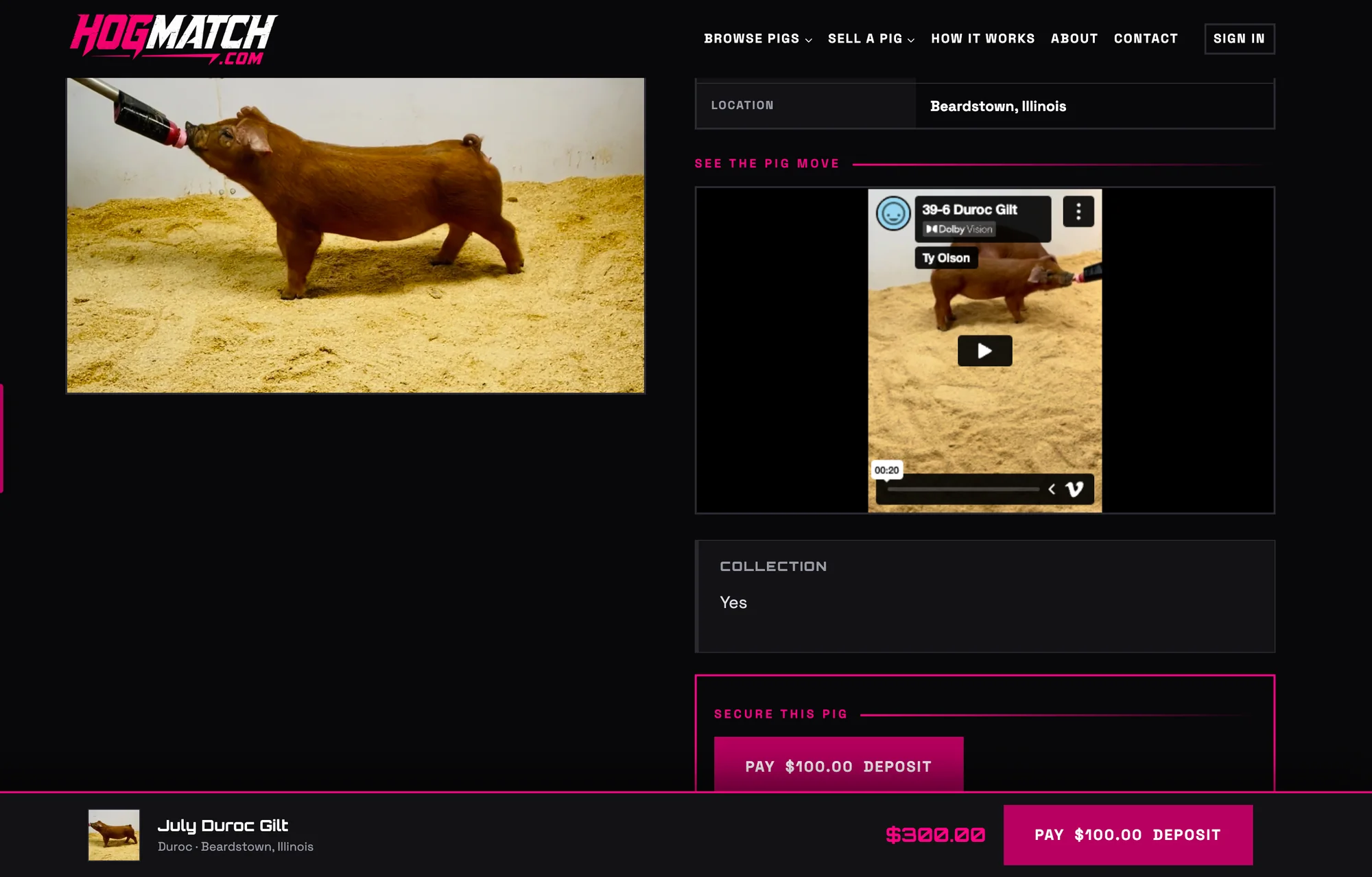
Live · HogMatch
“Buyers need to see the pig walk, and phone video will not play in a browser.”
Breeders upload a clip filmed in the barn. The server converts the phone video for the web, the listing plays it in a locked-down player, and deposits are taken through PayPal at checkout. More on online marketplace development.
VideoPayPal
HogMatch case study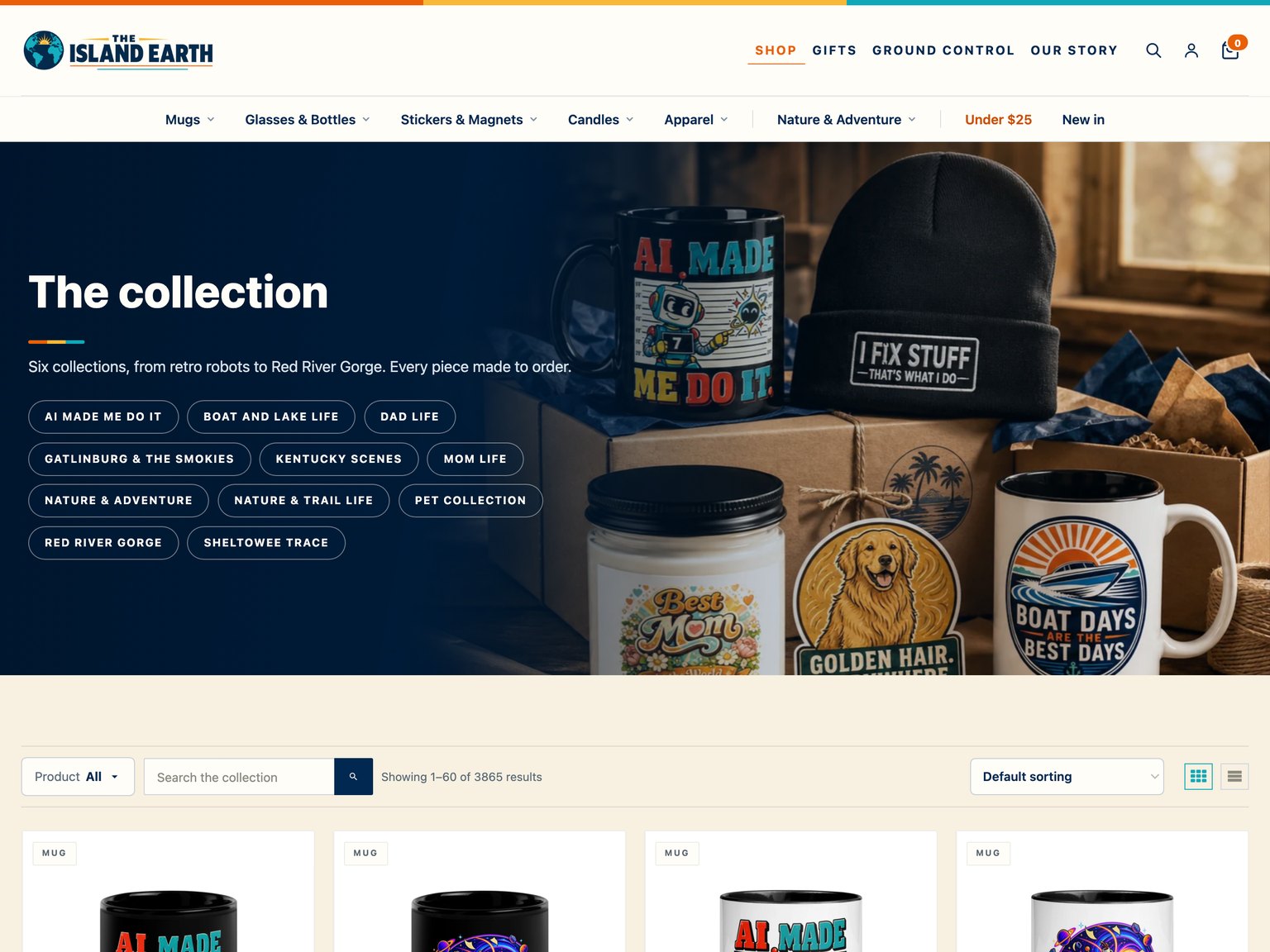
Live · my own store
“More than 3,800 products, and not one of them sits on a shelf.”
A WooCommerce store wired to Printful: every order goes to the print partner on its own and ships straight to the buyer, while the store stays organized around six collections.
WooCommercePrintful
The Island Earth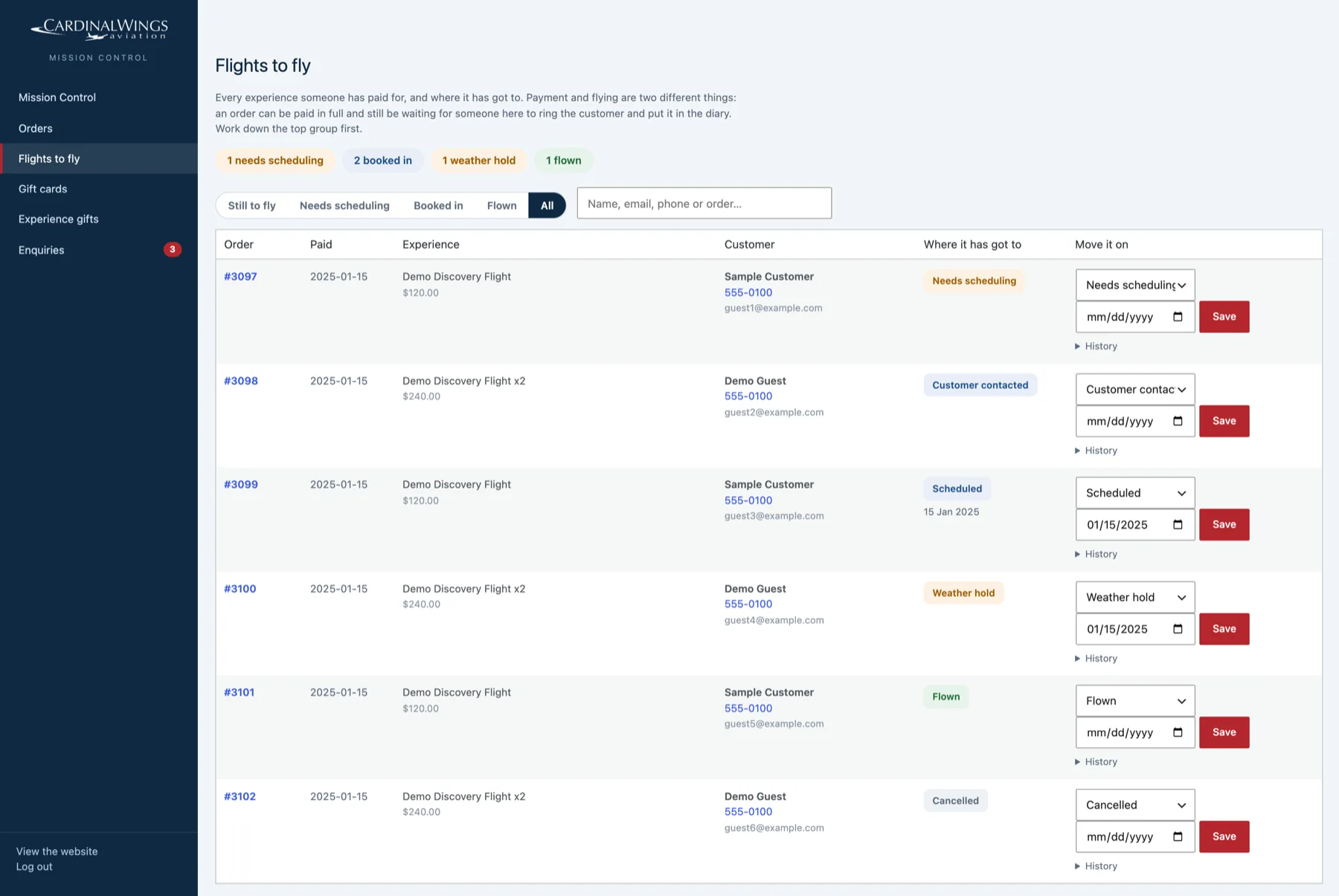
Live at Cardinal Wings Aviation
“A paid flight is not a flown flight, and the weather decides when.”
A fulfilment queue beside every order, from needs scheduling to weather hold to flown, inside a front-desk workspace that reaches only what the desk needs.
WooCommerceFront desk
Custom pluginsAI automation
“Inquiries pile up, and the good ones wait.”
Incoming messages summarized and sorted, with reply drafts ready for approval, so nothing goes out that a person has not read.
InboxAI
AI automationKentucky Peerless · rebuilt 10-26-2026
Connections that preserve the meaning of the transaction
The Peerless work joins website orders, bookings, inventory tools and communications without treating every event as the same thing. A paid visit, a shipped bottle, a pickup and a newsletter signup each retain their own handling and permissions.

Not just WordPress
WordPress when it fits. Anything else when it does not.
Most of these systems live inside WordPress because that is where the business already was. The real work is the connection: a register’s API, a payment gateway, a print partner, a spreadsheet, an inbox. If a service can send or receive information, it can be part of the system. Sometimes a ready-made tool is enough: see Zapier vs Make vs n8n.
A few of mine never touch a website at all, like the monitor that texts my phone when a site I host goes down.
Stores and payments
- WooCommerce
- Clover
- PayPal
- Printful
Compliance and sales channels
- ShipCompliant
- Bottle Nexus
- Google Merchant Center
- Mailchimp
Messages and search
- Gravity Forms
- Brevo
- Google Search Console
- Google Analytics
Hosting and safety
- WordPress
- Cloudflare
- Backblaze
- YouTube
And anything with an API, a webhook, a CSV export or an inbox.
Got software with an API?
Send me its name. Here is what I look at.
Usually a day or two of reading before any code, and you get a plain answer either way.
- 01
Is there a way in?
Whether the software has an API, whether your plan includes it, and whether there is a sandbox to build against without touching live data.
- 02
What it can read and write
Orders, stock, customers, payments, bookings: which of them the API opens up, and in which direction.
- 03
The rules it enforces
Keys that expire, rate limits and required headers. Clover’s April 2026 rule for every request is the kind of change I watch for.
- 04
Where the answer should land
Your website, an owner dashboard, a staff screen, an email or a spreadsheet: wherever the person who needs it already looks.
How a fix gets built
Problem first. Software second.
- 01
Tell me the problem
In your own words, on a call or in a few lines. You do not need a software list.
- 02
I map what you already use
Most of the pieces already exist: your register, your calendar, your inbox. I find out how each one lets information in and out.
- 03
I build the smallest fix that works
Usually one connection or one screen, tested on real examples before anyone relies on it.
- 04
It keeps running
I watch it, keep it working when a service changes, and write down how it works so nothing depends on memory.
Before you ask
Questions about connecting systems
What is an API?
A way in that a software company builds on purpose, so other software can read and write its data with permission: stock counts, orders, payments, bookings. Most software a business pays for has one, often listed in its help pages under API, developers or integrations.
What if my software does not have an API?
There is usually still a way: a webhook, a scheduled export, an email it sends or a spreadsheet it saves. I will tell you which of them is reliable enough to build on, and what it would take to keep it running.
What counts as an integration?
Any time two pieces of software should share information and a person is copying it across by hand: stock counts, bookings, signups, orders, quotes, invoices. Two common ones: online invoice payments and WooCommerce and QuickBooks.
Do I need a WordPress website?
No. Many of these live in WordPress, but the connection is the point. If your systems have an API, a webhook, an export or even a shared inbox, I can usually work with them.
What does it cost?
It depends on how many systems are involved and how much has to be built. After we talk you get a written quote, so you know the number before anything starts.
What happens when one of the services changes?
Services update how they work. I keep the systems I build working, and each one is written down so another developer could pick it up. If you want one person owning all of it, that is fractional CTO work.
Who owns it?
You do. It runs in your accounts wherever possible, and the code and data are yours.
Bring me the software
What do you wish your software did?
Send me its name and the job you are doing by hand. You get a straight answer on whether its API can do it and what it would take, from the person who would build it.