
Clover online ordering and inventory sync on your own website.
Clover online ordering can mean two things: Clover’s own ordering page, or a full store on your website that sells from the same stock as your Clover register. I build the second, running in production at Kentucky Peerless, and I will tell you honestly when the first is all you need.
Or call or text (502) 387-1142




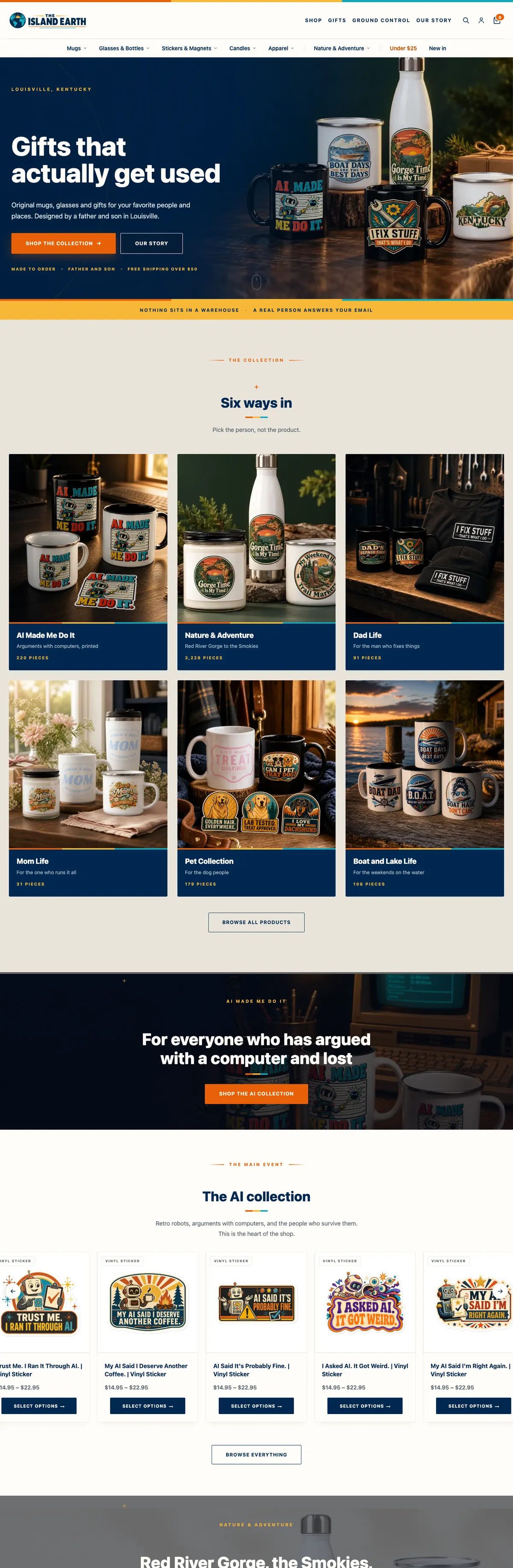
Websites I have built for Kentucky businesses



















Pick the one that matches what you sell.
Clover’s own online ordering is for restaurants and food service businesses. Clover describes it as an ordering page, set up from your Clover dashboard, that you can link from your website or use on its own, with no setup or subscription fee beyond the card-not-present rate on online orders. If you sell takeout and that is all you need, use it. Check Clover’s current requirements for devices and plans first.
Your own store connected to Clover is for shops, distilleries and retailers who sell products online under their own brand. The website is a full WooCommerce store with your shipping rules, your search pages and your checkout, while payments run through Clover and stock follows the register. That is the kind of POS integration I build and maintain.
Clover and WooCommerce, working from one count.
Either side can own the count
When the register owns the count, a counter sale reaches the website on a schedule you set and a website sale comes off Clover within minutes. When WooCommerce is your master catalog, products and stock push to Clover instead. Either way, an item that sells out in one place stops selling in the other at the next sync.
SKUs audited before anything is wired
Most sync problems are catalog problems. I compare the register and the website item by item and fix duplicates, typos and orphans on both sides first.
Doubtful matches wait for a person
If the sync is not sure which website product a Clover item belongs to, it holds the match for someone to confirm instead of quietly creating a duplicate. Every change can be previewed before it runs.
Clover at checkout
Card payments through Clover eCommerce, with hosted card fields styled to look like part of your store and fraud screening in front of checkout.
Built to Clover’s current API rules
Identifying headers on every request, the shopper’s IP on payment calls, and a sync that paces itself under Clover’s rate limits instead of failing halfway through a catalog.
A sync you can check
Runs happen on a schedule with logs you can read, so when a number looks wrong there is a record of what changed and when, not a guess.
Clover’s 2026 API changes, in plain English
Clover’s developer changelog for April 2026 says every HTTP request to its APIs must now include a User-Agent header, a short line that names the software making the request. Clover says the rule applies to all of its API solutions, including Ecommerce, Platform and REST Pay, and tells developers to include it so requests process successfully.
If your website talks to Clover through code written before then, or through an app nobody has looked at in a while, it is worth checking that its requests are still going through. Three things I check on any Clover integration:
- The User-Agent header is present and names the integration, on inventory calls and payment calls alike.
- Payment requests carry the shopper’s IP address. Clover’s ecommerce charge and order-pay requests require an x-forwarded-for header with the client’s IP, and Clover says requests without it will be unsuccessful.
- The sync respects rate limits. Clover allows 16 new requests per second per access token and answers faster traffic with a Too Many Requests error, so a sync across a large catalog has to pace itself and retry politely.
The same April update added low-stock alert thresholds to Clover inventory items in the United States and Canada, which a website sync can read to warn you before a popular item runs out online.
If the register at your counter is Square rather than Clover, the same checks apply in a different form: see Square to WooCommerce sync.
The Peerless gift shop and website share one count.
Kentucky Peerless runs a Clover register in the distillery gift shop and sells the same merchandise online. A custom plugin I wrote keeps Clover and the website’s inventory in step both ways, with product matching and clear rules for which system owns each count.
It replaced a third-party sync subscription whose quiet mismatches had to be traced SKU by SKU. The same workflow keeps Kentucky Peerless: shop honest about what is on the shelf.

Kentucky Peerless · rebuilt 10-26-2026
Clover and WooCommerce, with the operating rules spelled out
At Kentucky Peerless, product identity and stock responsibility matter as much as the connection. The custom workflow includes matching and scope controls, comparison tools and handling for uncertain results. Each direction is switched on separately. Since October 30, 2026, both run: register counts reach the website every hour, and website sales come off Clover within minutes.

Clover and your website
Your Clover dashboard and your website, side by side.
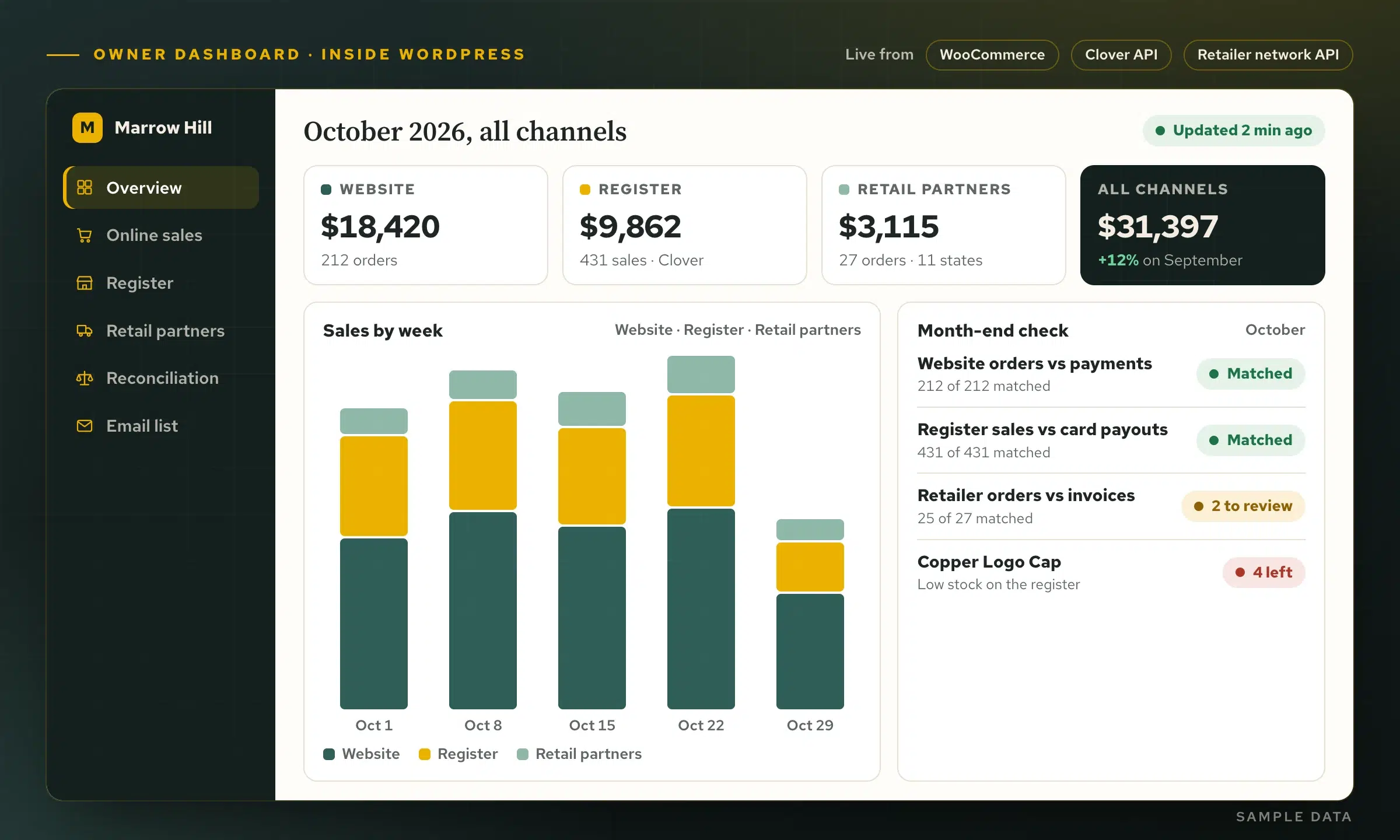
Clover’s dashboard shows the register. WooCommerce shows the website. Through Clover’s API I build one page inside WordPress that shows both: sales today, this month and this year against last year, best sellers, the busiest hours, and every online card payment matched to its order.
- Read-only by design. The reporting key can read sales and never change them.
- Month end in one place. Register sales by payment type, website orders by payment method, and what each should pay out.
- Room for more channels. Orders from a retailer network can sit beside both.
From a messy catalog to one count.
Compare the catalogs
Your Clover items and your website products, side by side, before any code. What does not match gets fixed first.
Decide the rules
Which products sync, which side wins, how often it runs and what happens at zero. Decided once, written down, built in.
Build on a copy
The sync runs against a staging copy of your store with real Clover data, so live orders are never part of the experiment.
Launch and watch
The first runs are checked by hand, then the sync is monitored and maintained by the person who wrote it.
Clover and your website, answered.
What is Clover online ordering?
Clover’s own online ordering gives a restaurant or food service business an ordering page set up from its Clover dashboard, linked from its website or used on its own. A retailer or distillery that wants a full store under its own brand usually needs a website store connected to Clover instead.
Does Clover sync with WooCommerce on its own?
Clover’s free WooCommerce plugin handles payments. Inventory is a separate job: either a third-party sync app or a custom sync built on Clover’s API, like the one running at Kentucky Peerless.
How often does the website update from the register?
At Kentucky Peerless the website copies the register’s counts every hour, and website sales come off Clover within minutes. A store with fast-moving stock can sync more often, within Clover’s rate limits, or use Clover’s webhooks to carry a counter sale to the website within seconds.
My Clover connection stopped working. What should I check?
Start with the integration’s error log. Since April 2026 Clover expects a User-Agent header on every API request, payment calls need the shopper’s IP address, and an expired access token or a changed SKU can break a sync too. I can read the log and tell you which it is.
Can I take Clover payments online without a Clover register?
According to Clover’s plugin listing, a Clover device is not required to take WooCommerce payments, only a Clover merchant account. The inventory sync is only useful if you also sell in person on Clover.
Do I need a new website to connect Clover?
Not usually. If your store runs on WooCommerce, I connect Clover to it. If your site is on something else, I will tell you whether connecting it or moving the store makes more sense. I work from Louisville with businesses anywhere in the United States.
Tell me what you sell at the counter and online.
Bring your Clover setup and your website, even if the two have never spoken. I will tell you which kind of Clover online ordering fits, and what connecting them would take.
Connect with me
Tell me about your Clover setup.
What happens next
- 01I reply, usually the same day. Every message comes straight to me, not a ticket queue.
- 02A short call. What the site needs to do, who it is for, and what has not worked before.
- 03A written scope and flat quote. Before any work starts, with hosting and ongoing care listed separately.
5.0 on Google · 29 reviews · I usually reply the same day