Track the experience after the payment.
When a customer pays for a flight online, the purchase can be finished while the flight still needs to be arranged. Here is the custom WordPress staff workflow I built for Cardinal Wings Aviation so the front desk can see what is still waiting.
Or call or text (502) 387-1142


The short answer
Give the experience its own record next to the order. The order says the customer paid; a separate state says whether the experience has been scheduled, delayed, delivered or called off, with a dated history of each change.
Keep gifts in their own queue, because the recipient may not even know about the gift yet.
Why a paid order is not enough
For Cardinal Wings Aviation, I built a flight workflow alongside the WooCommerce order. The payment and the experience have related but different jobs, so the staff view gives each its own place.
A paid order does not tell the desk who is waiting, who has been contacted, or which plans have changed because of weather. Those are the questions staff actually get asked.
Give the unfinished work a visible state
A self-purchased flight can move through six states in Flights to fly:
- Needs scheduling: the flight still needs to be arranged.
- Customer contacted: someone has started the conversation.
- Scheduled: a flight date has been arranged.
- Weather hold: conditions have interrupted the plan.
- Flown: the experience has taken place.
- Cancelled: the flight has been marked cancelled in the workflow.
A workflow state describes the flight. It does not independently declare a refund, change the purchase terms, or rewrite the payment record.
The history is as useful as the current label. A dated record of changes gives the next staff member context when someone calls. They can see the progression rather than infer it from a completed order and an empty calendar.
Keep gifts in the right queue
A person buying a flight for themselves and a person buying a birthday present need different follow-up.
The self-purchase can become a flight waiting to be scheduled. A named experience gift has its own record because the recipient may not have received it yet. A dollar-value gift card is another case: the recipient still needs to choose what they want to do. I wrote about the buying side in selling experiences with WooCommerce.
Keeping those paths distinct gives the desk a more useful starting point than treating every paid line item as the same kind of outstanding flight.
Build the workspace around the staff’s day
The staff interface is called Mission Control. It brings orders, Flights to fly, gift handling, inquiries and job applications into a branded workspace.
The navigation follows the tasks staff need to reach. A customer inquiry and an instructor application have separate destinations. Flight scheduling has a different place from handling a gift.
The access role is a separate part of the implementation. A simplified menu helps someone work; the role determines which actions and areas the account may use. Designing both is part of building a staff tool in WordPress.
Start with the work that falls between systems
The most useful custom tools often begin with something a business is already tracking elsewhere: a list of appointments to arrange, a sheet of gift certificates, or notes about a job that has been paid for but not delivered.
Ask what the existing software knows and what staff still have to remember. Then give the missing information a clear owner, a state and a place in the workflow.
For Cardinal Wings, the important distinction is whether a flight has happened. For another business, it might be whether a lesson has been attended, equipment has been returned, or a purchased service has been completed. The right workflow follows that business’s actual job, which is how I approach custom WordPress plugin development and integrations.
Connect the public website to the next conversation
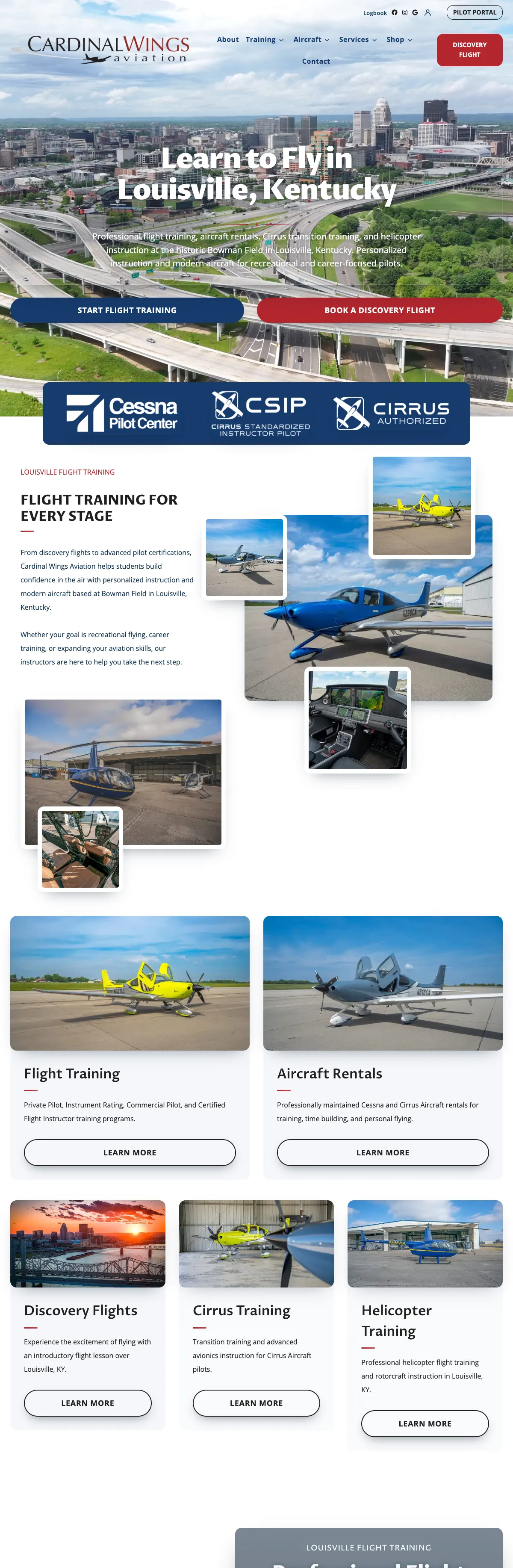
The Cardinal Wings project includes the website, original aircraft photography, training information, an experience store, personalized gifting and the tools behind those purchases.
The public pages explain what the business offers. The staff workflow helps carry the inquiry or purchase into the work that follows. Building them together makes the website part of the operation rather than an isolated introduction to it.
Frequently asked questions
Why not just use the WooCommerce order status?
Order status describes the payment and the order. Whether an experience has been scheduled, delayed by weather or delivered is a different question, so it gets its own record.
Does marking a flight cancelled issue a refund?
No. In the Cardinal Wings build the workflow state describes the flight only. Payment records and refunds are handled separately.
Is this a booking calendar?
No. Customers buy online and arrange the flight with the front desk. The queue tracks that arrangement rather than offering instant reservations.
Can this work for a business that is not an aviation school?
Yes. The same pattern fits lessons, rentals, tastings or any service that is paid for before it is delivered.
Six states, one dated history.
This is the Flights to fly queue in Mission Control, shown as an interface preview with fictional records captured during development. It illustrates the workflow; it does not show customer activity.
The full project is in the Cardinal Wings case study.

Is your team tracking paid work on a spreadsheet?
Tell me what happens after someone pays. I will sketch the queue and states I would build into your website.